Skip to content

Software Information

The following shows images from the program (v0.0.1a) illustrating some of its features. There are many more features to the program, so this just gives you a taste of things.

As well, the images come from both the Windows and the Linux versions of the program, in both light and dark modes.

Screenshots of the program interface

Selestium Astrology running in Windows
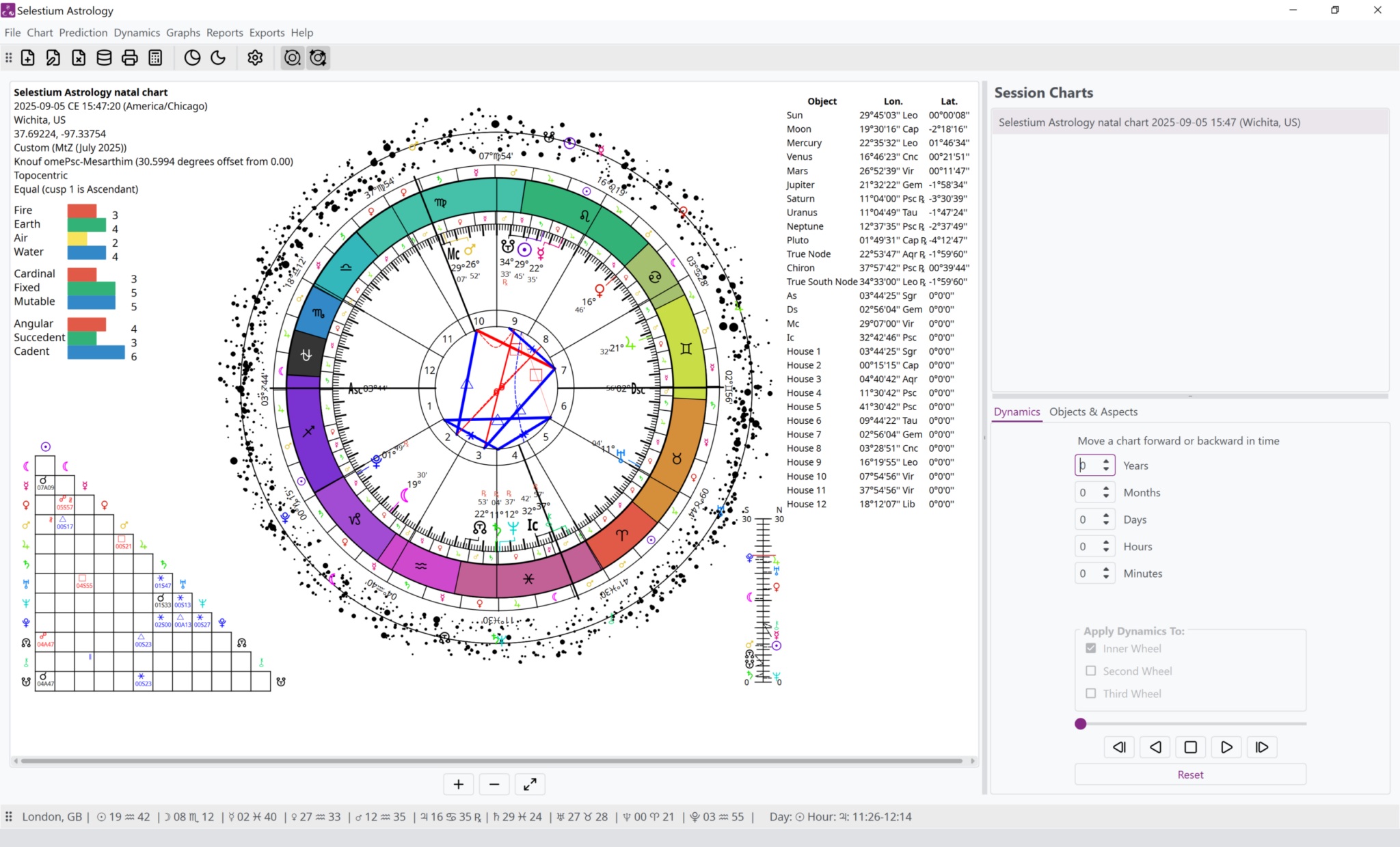
Selestium Astrology running in Windows, light mode
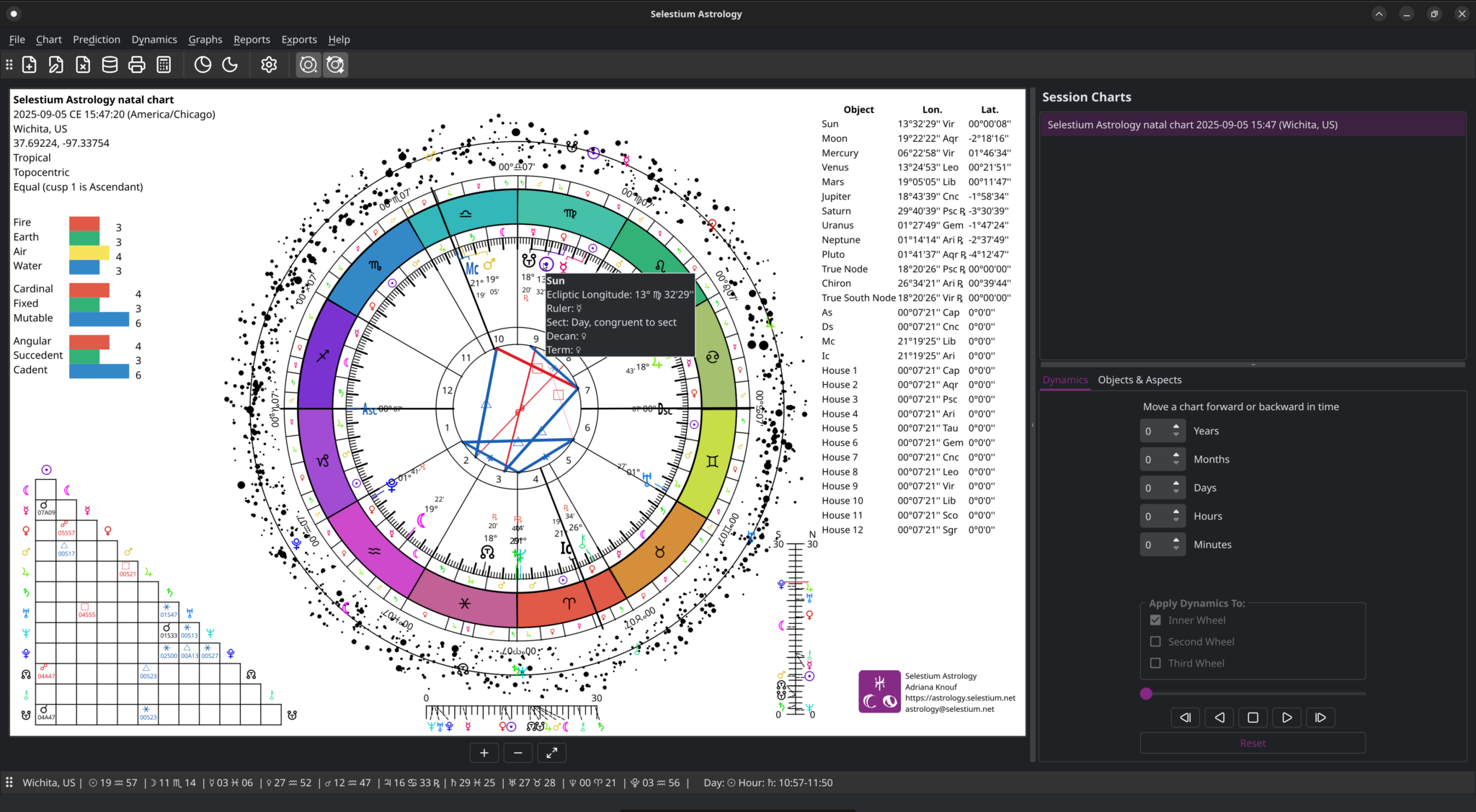
Selestium Astrology main window running in Linux, dark mode

Selestium Astrology running in Linux

Selestium Astrology running in MacOS
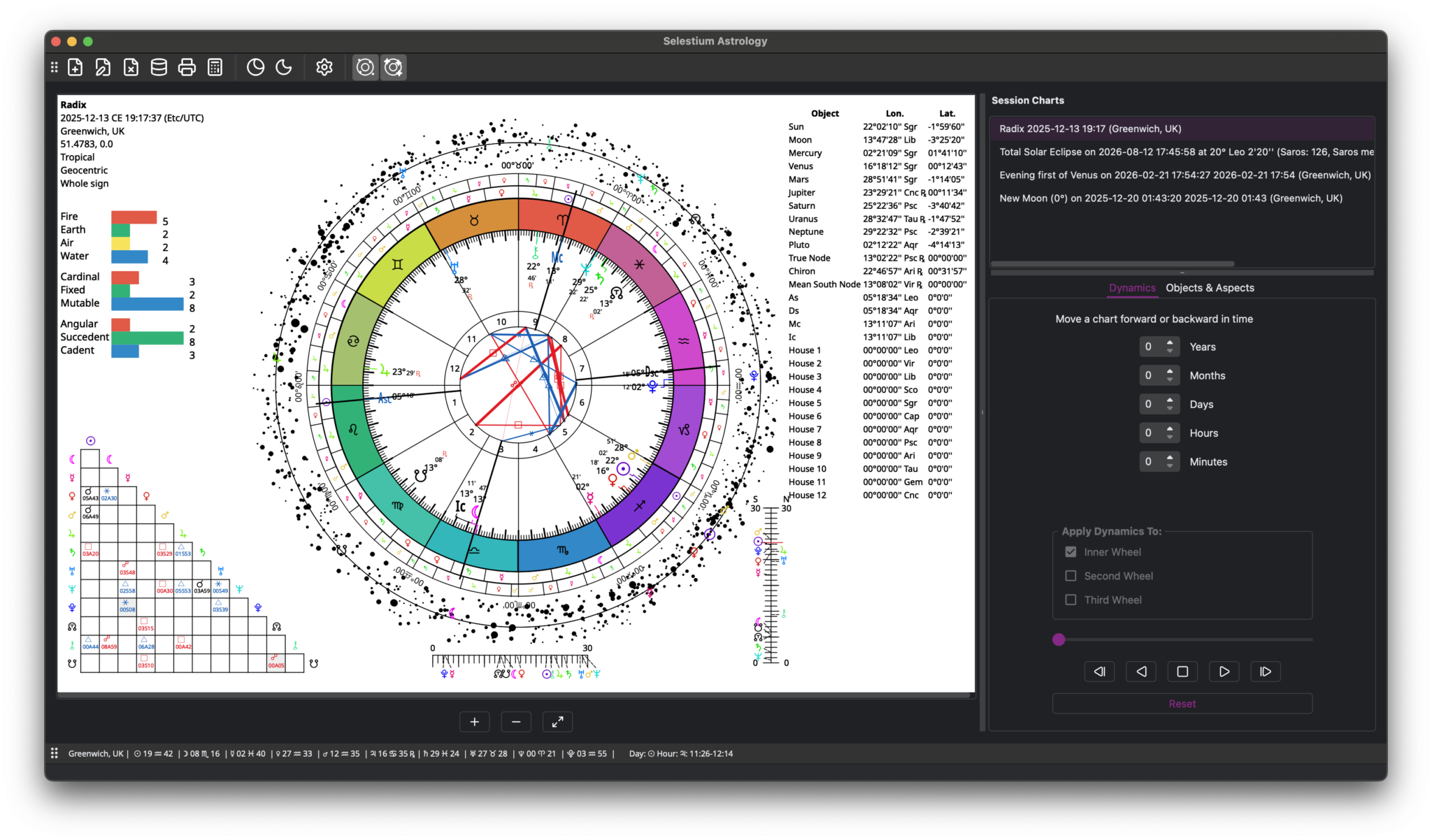
Selestium Astrology main window running on MacOS, dark mode

New Chart

New Chart window, setting the basic information for the chart
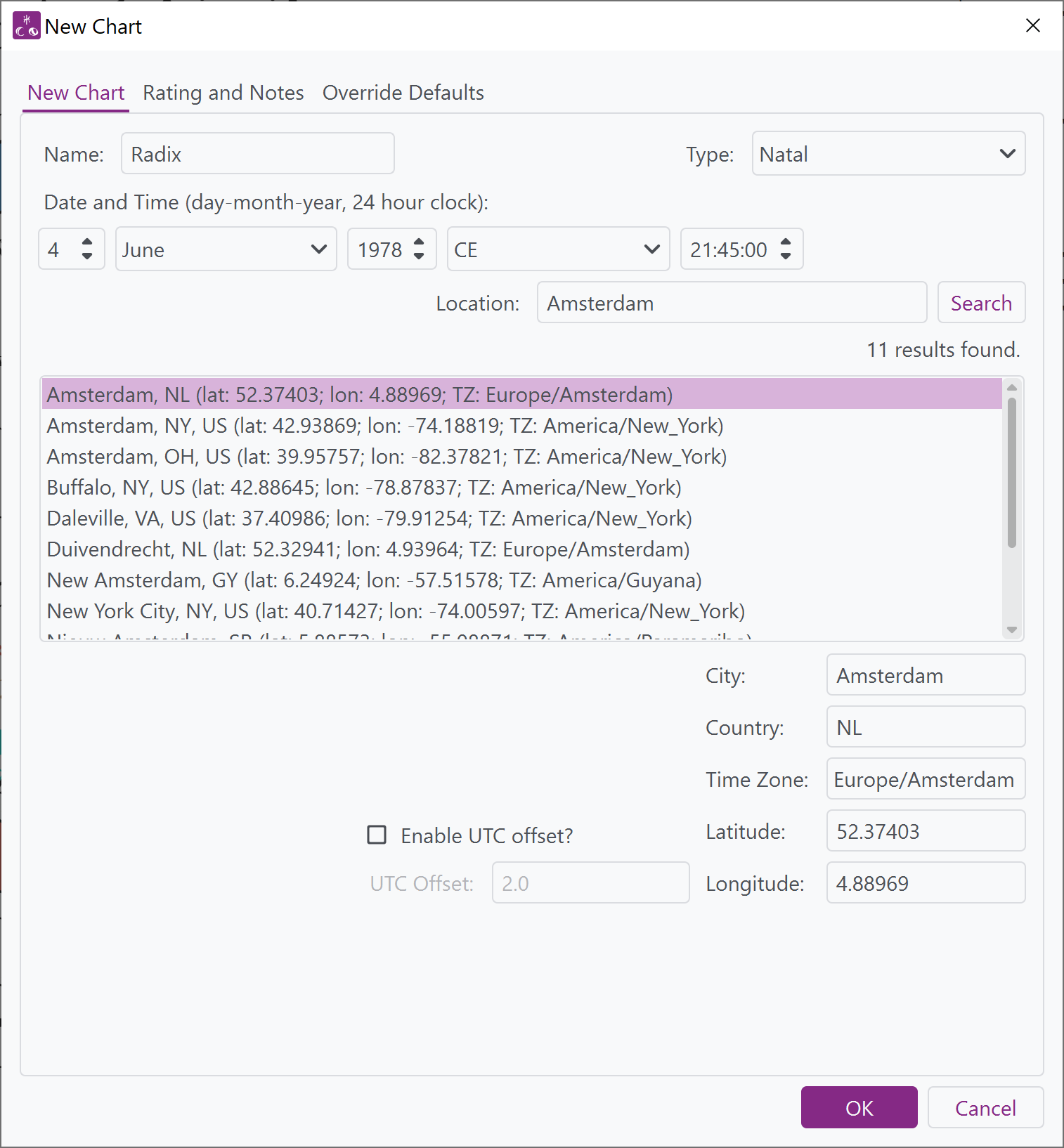
Window from Selestium Astrology showing the new chart tab of the new chart window with ability to enter name, date and time, chart type, as well as search for a location (which gives name, country, latitude, longitude, and timezone).
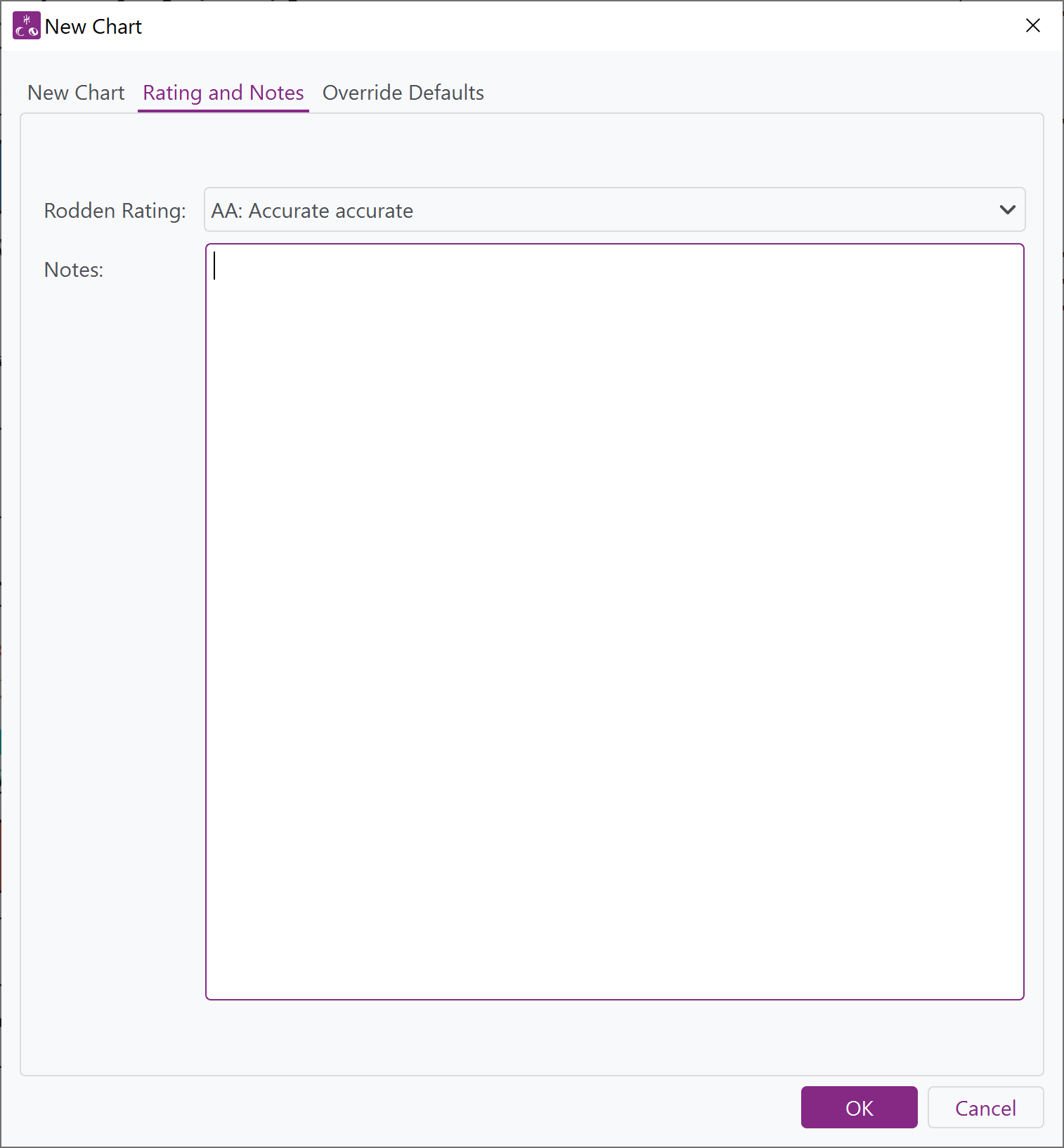
Window from Selestium Astrology showing the Notes and Rating tab, allowing a setting of Rodden Rating and notes for the chart.

New Chart window, showing ability to set Rodden Rating and define notes (which can be formatted as Markdown).

New Chart window, showing the ability to override any of the defaults for the chart.
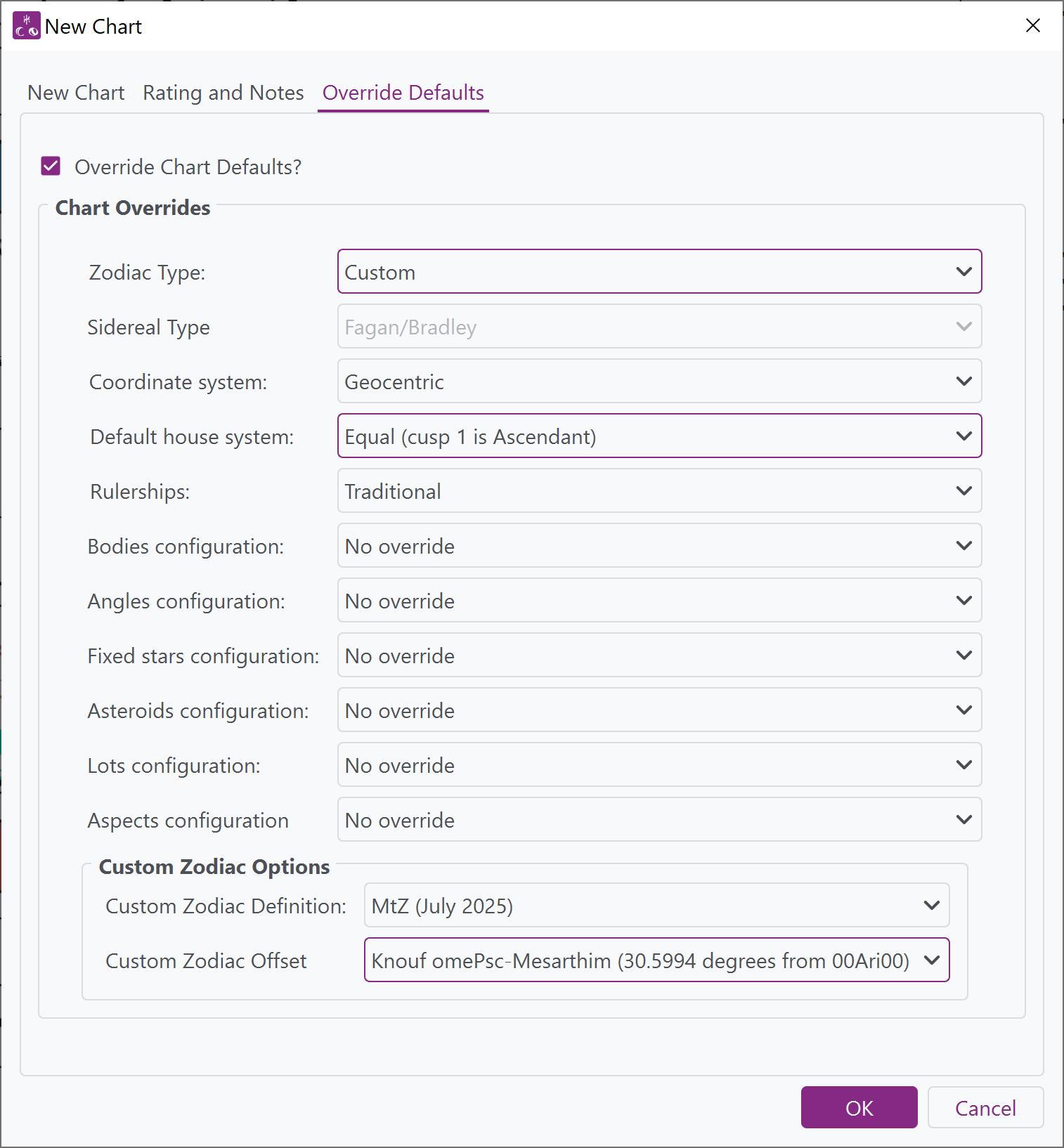
Window from Selestium Astrology showing the override defaults tab of the New Chart window, allowing all defaults of charts to be overridden when creating a new chart.

Chart displays and wheels

Single wheel exported from the program, showing a constellational sidereal zodiac.
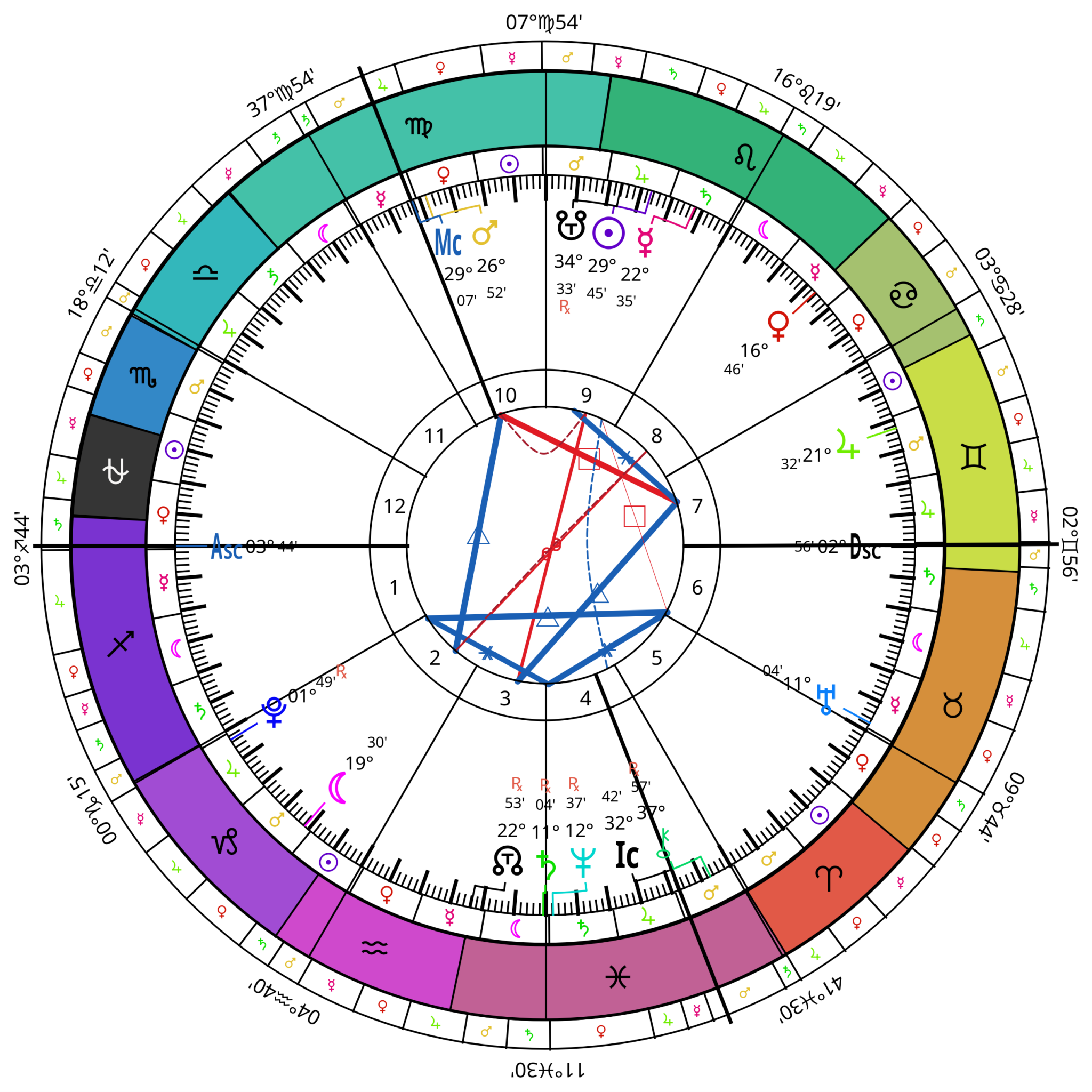
Wheel exported from Selestium Astrology showing a constellational sidereal astrology chart
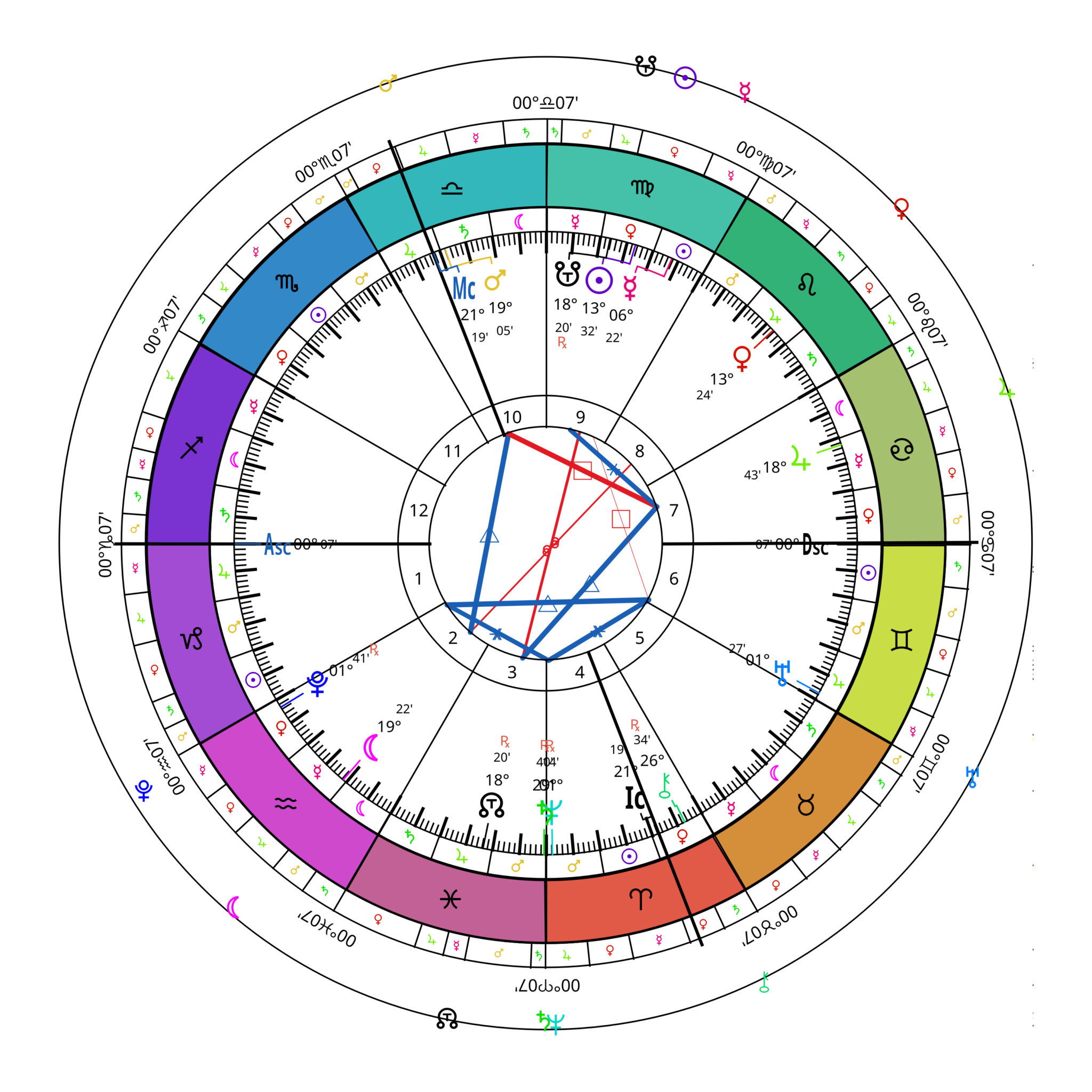
Single wheel from Selestium Astrology showing the unique Ecliptic Ring

Single wheel exported from the program, showing the unique Ecliptic Ring

Single wheel exported from the program, showing the Star Ring
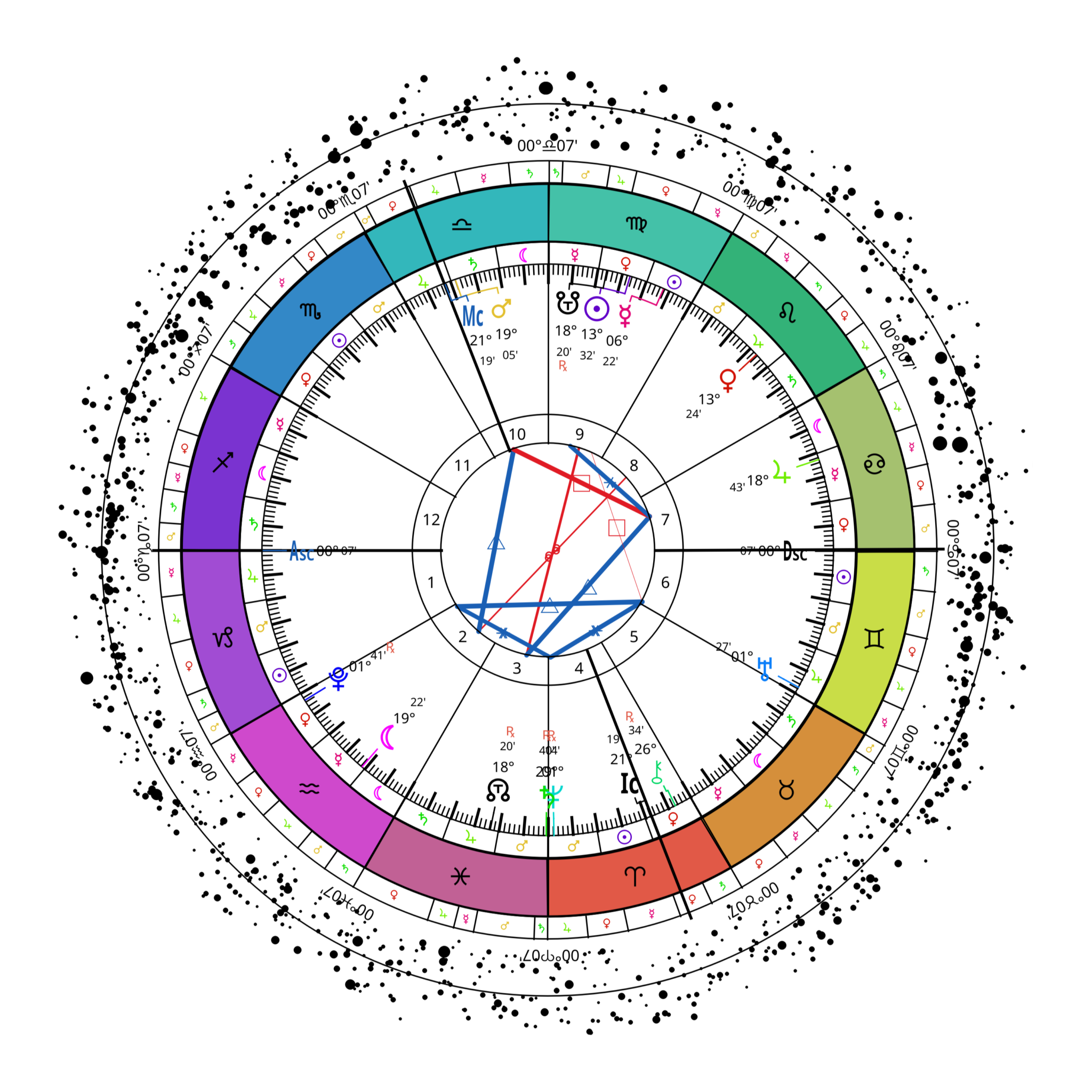
Single wheel from Selestium Astrology showing the Star Ring
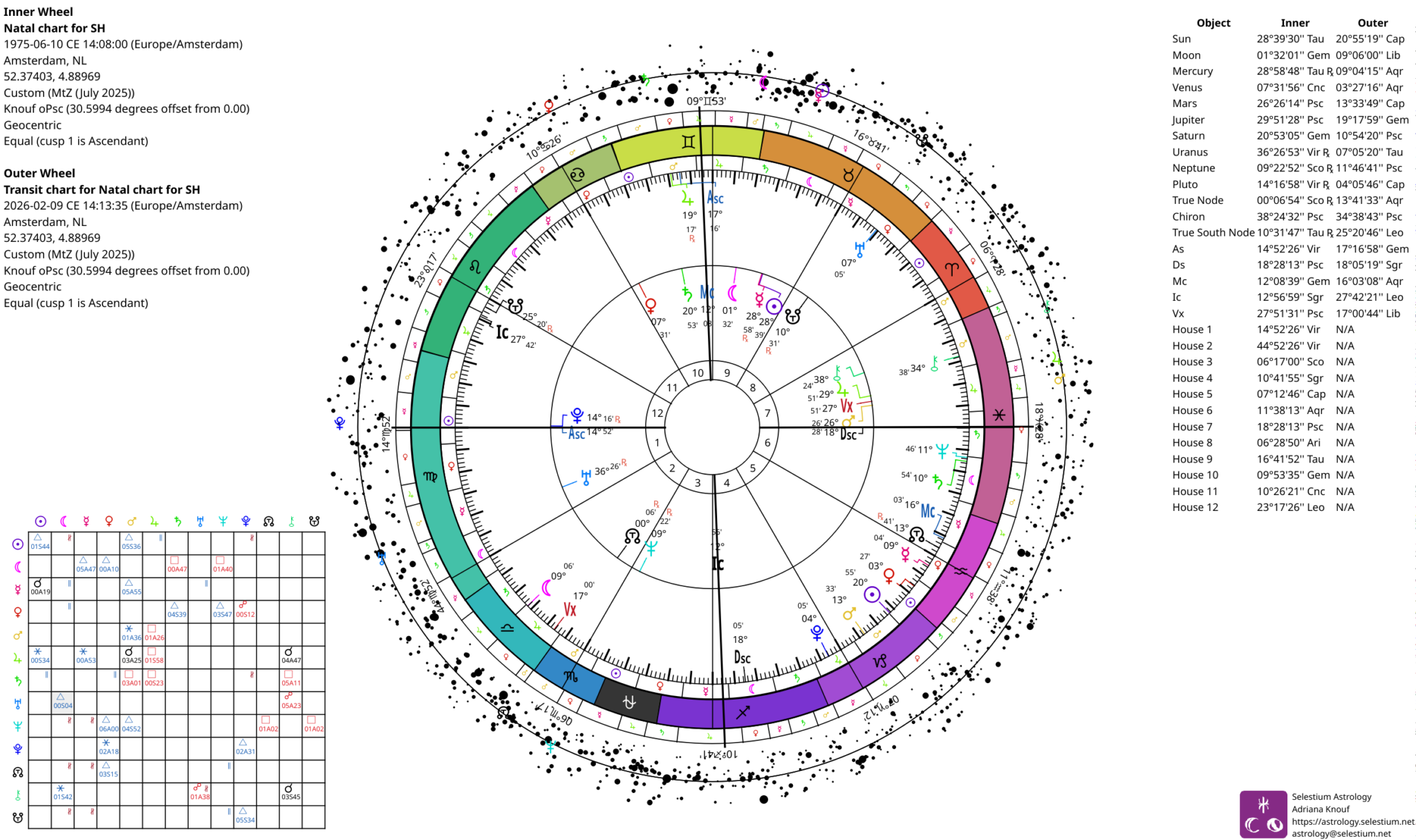
Chart from Selestium Astrology, showing a transit biwheel and grid aspectarian, along with the ecliptic ring and the star ring.

Complete chart exported from the program, showing a transit biwheel and aspect grid.

Complete chart exported from the program, showing a progressions biwheel and aspect grid.
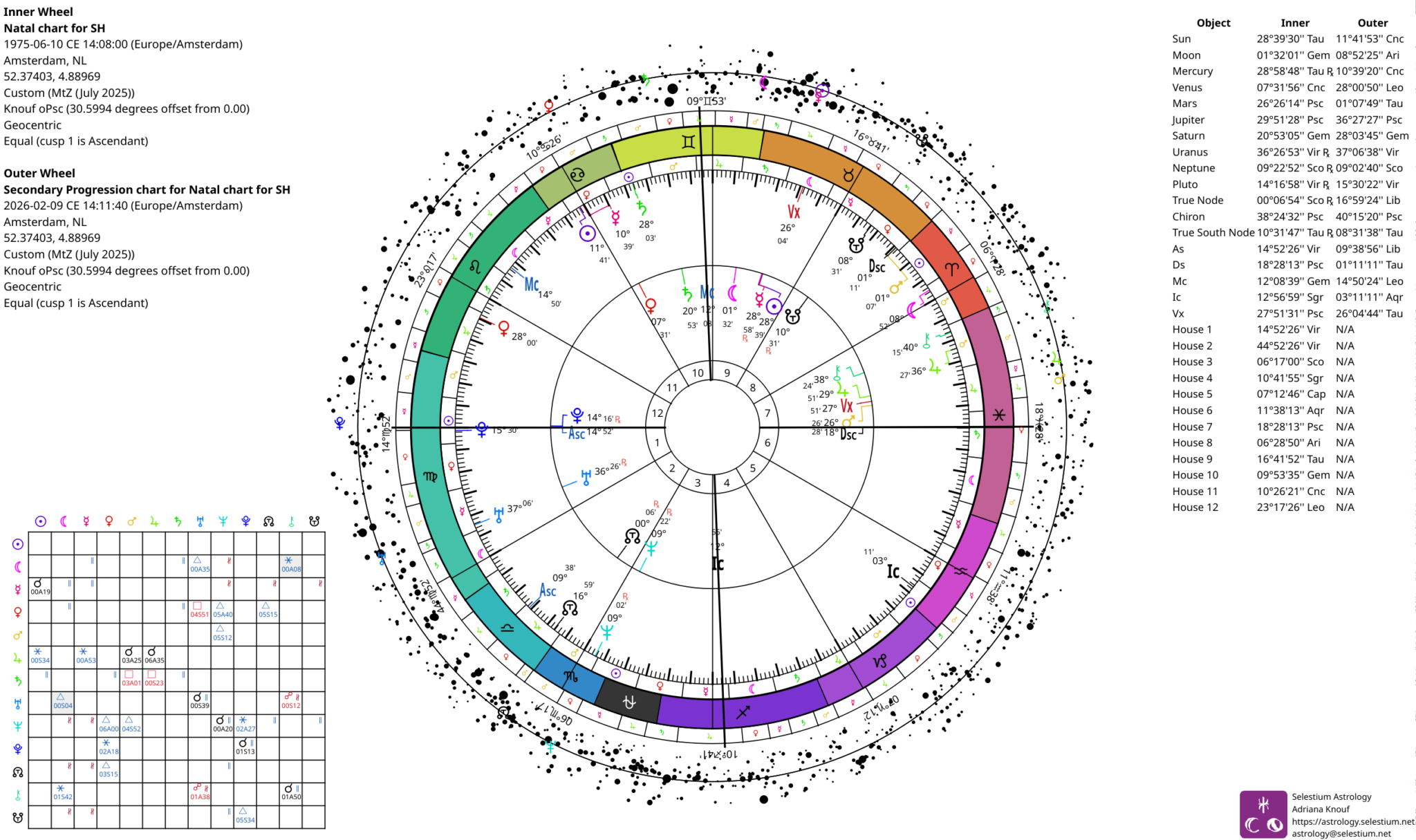
Chart from Selestium Astrology, showing a progressions biwheel and grid aspectarian, along with the ecliptic ring and the star ring.

Creating Biwheels

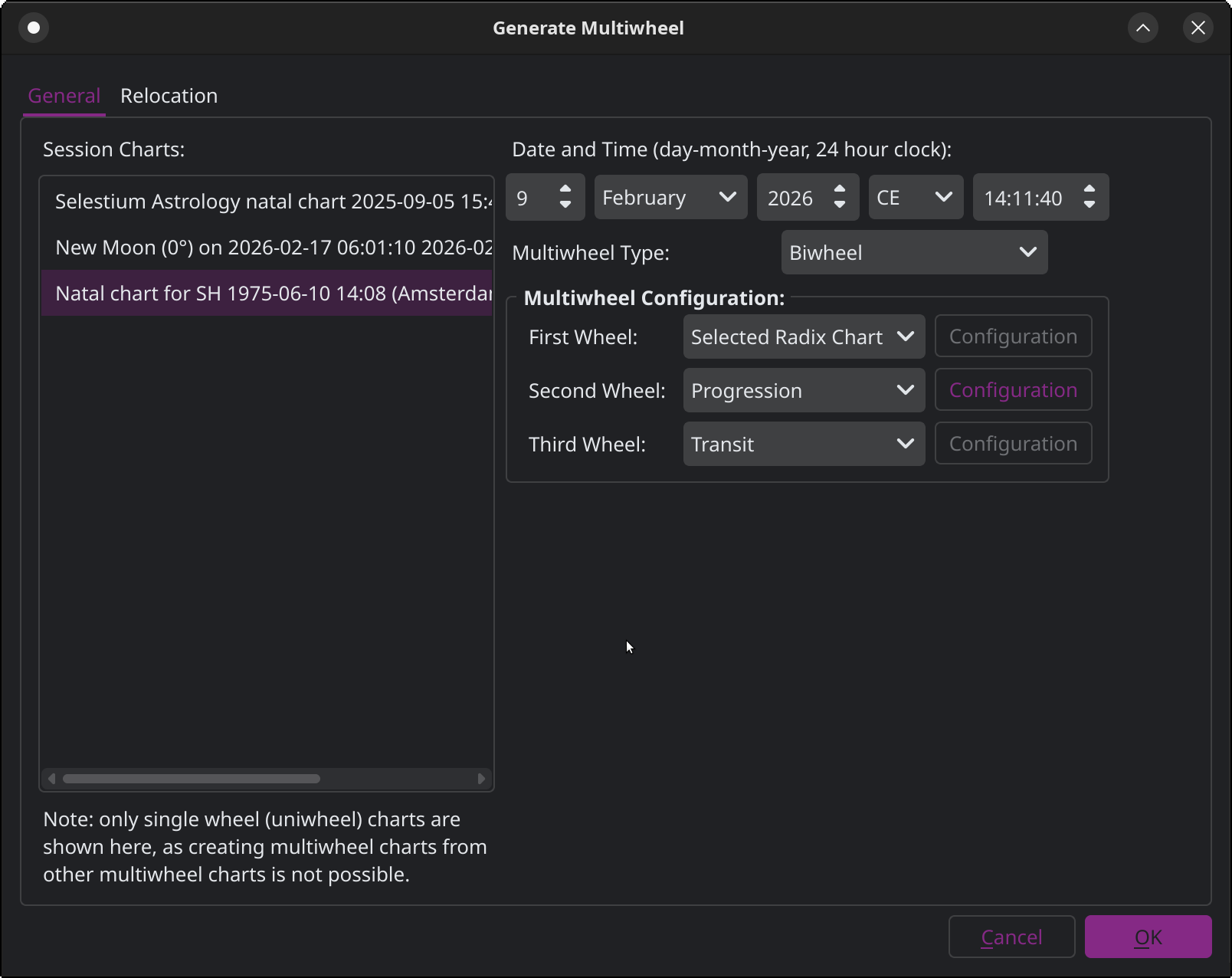
Creating a transit chart to a selected radix chart.
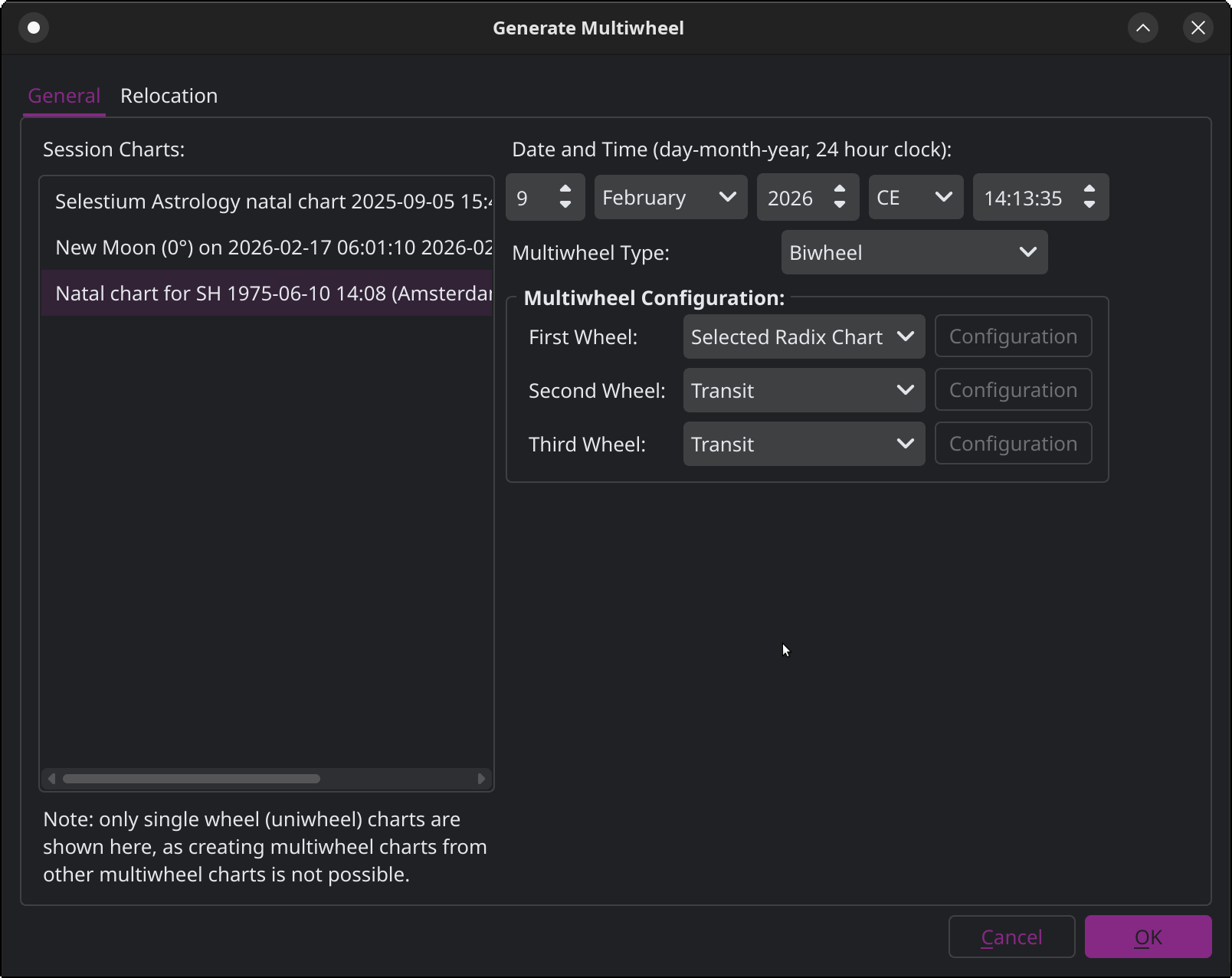
Window from Selestium Astrology showing how to create a transit biwheel
Window from Selestium Astrology showing how to create a progressions biwheel

Creating a progressions chart to a radix chart

Creating a synastry chart between two single wheels (uniwheel)
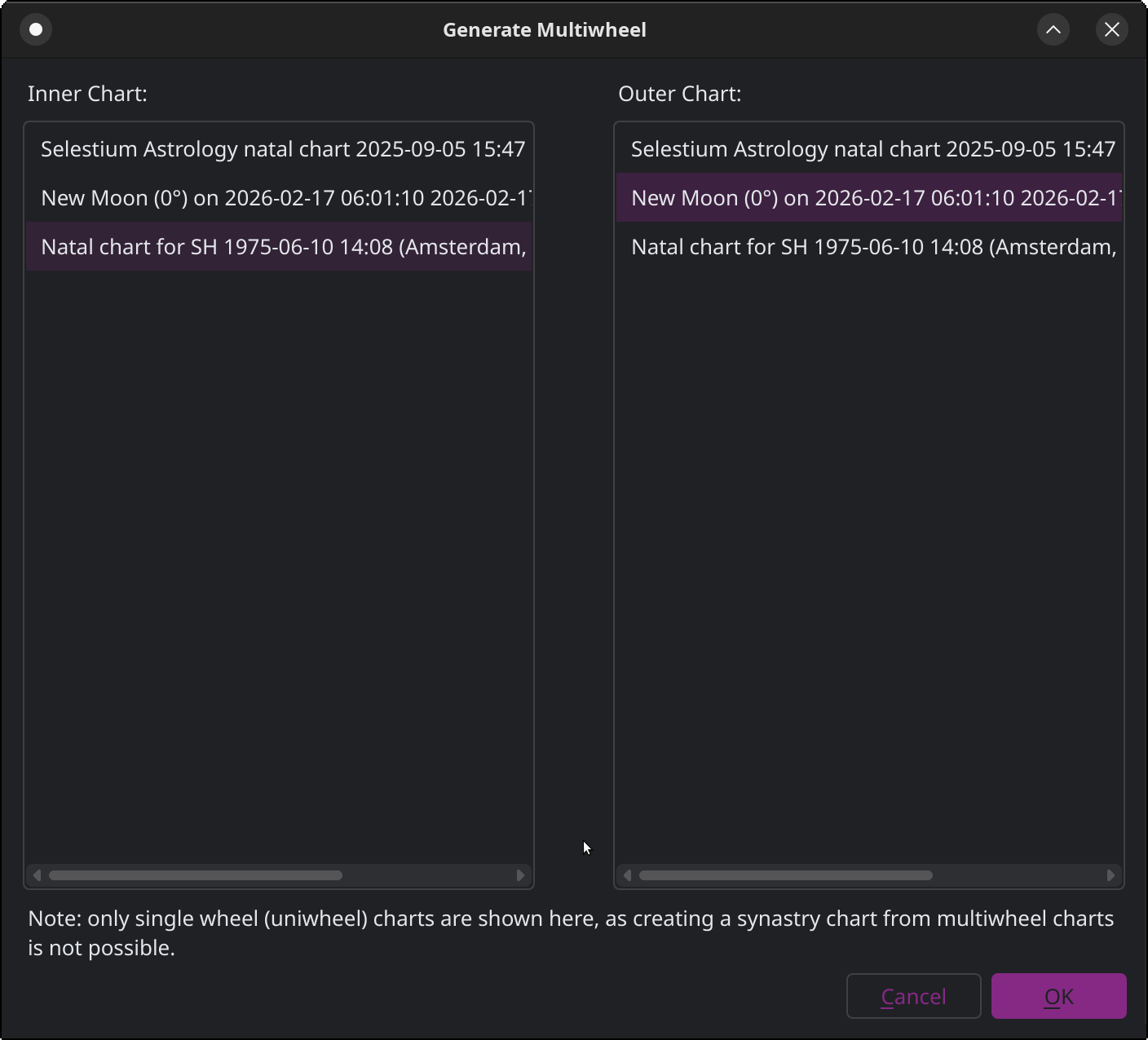
Window from Selestium Astrology, showing how to define a synastry chart between two uniwheel charts.

Predictions

Searching for eclipses and selecting charts to be added to the session.
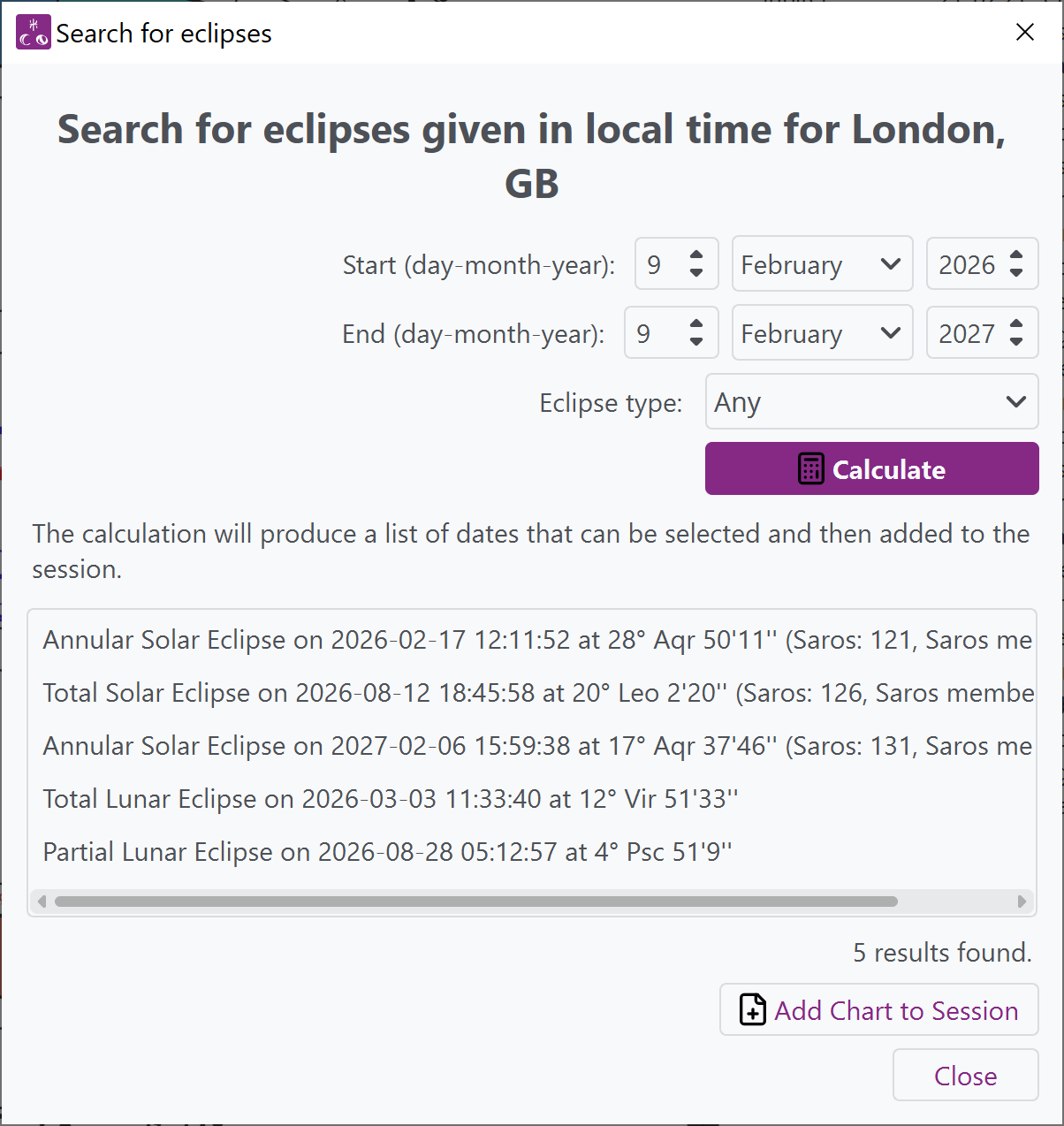
Window from Selestium Astrology showing how to search for eclipses over a range, and showing the list of results which can then be added as a separate chart to the session.
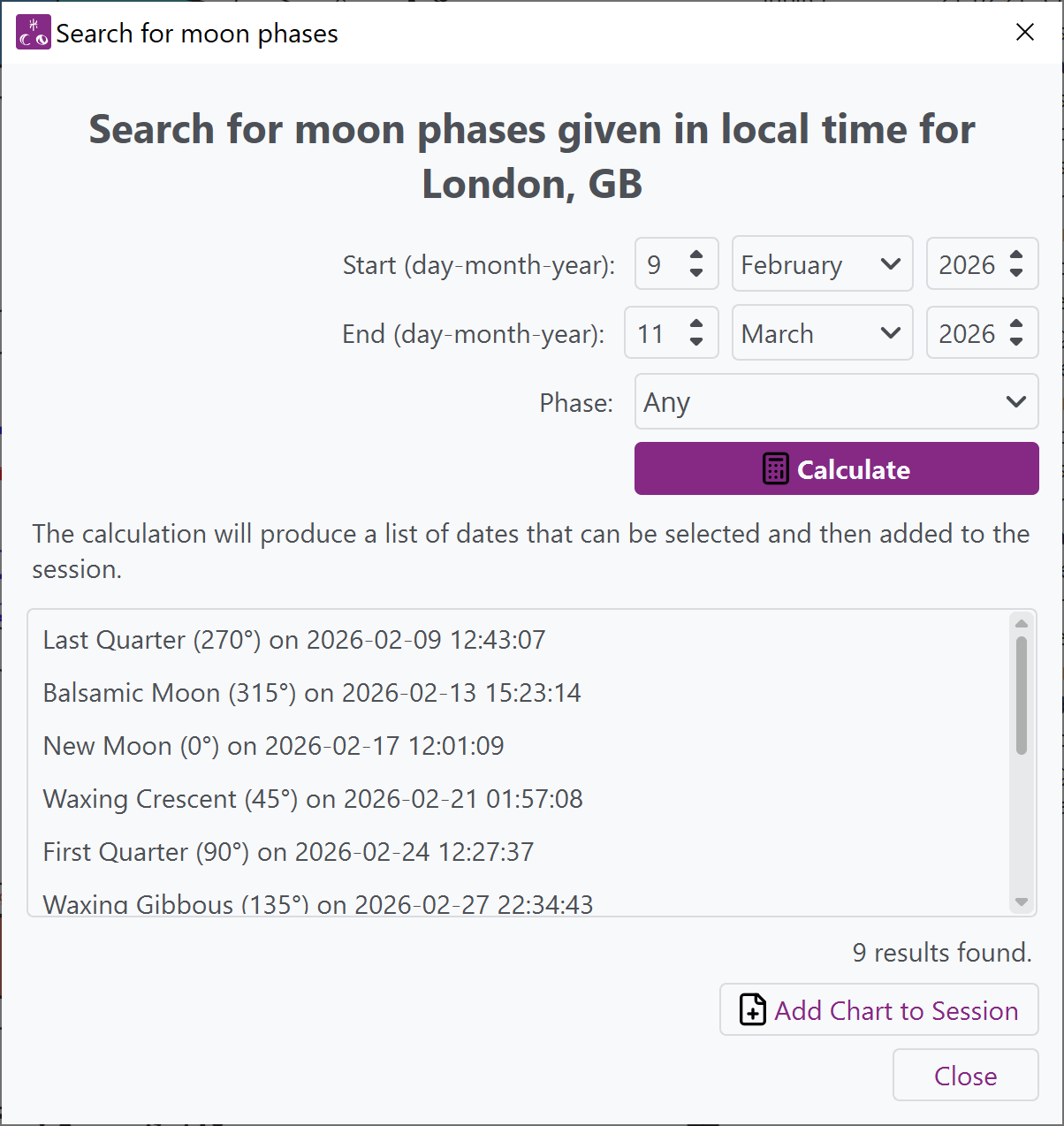
Window from Selestium Astrology showing how to search for moon phases, which can then be added as separate charts to the session.

Searching for moon phases and selecting a chart to be added to the session.

Searching for heliacal phenomena and selecting a chart to be added to the session.
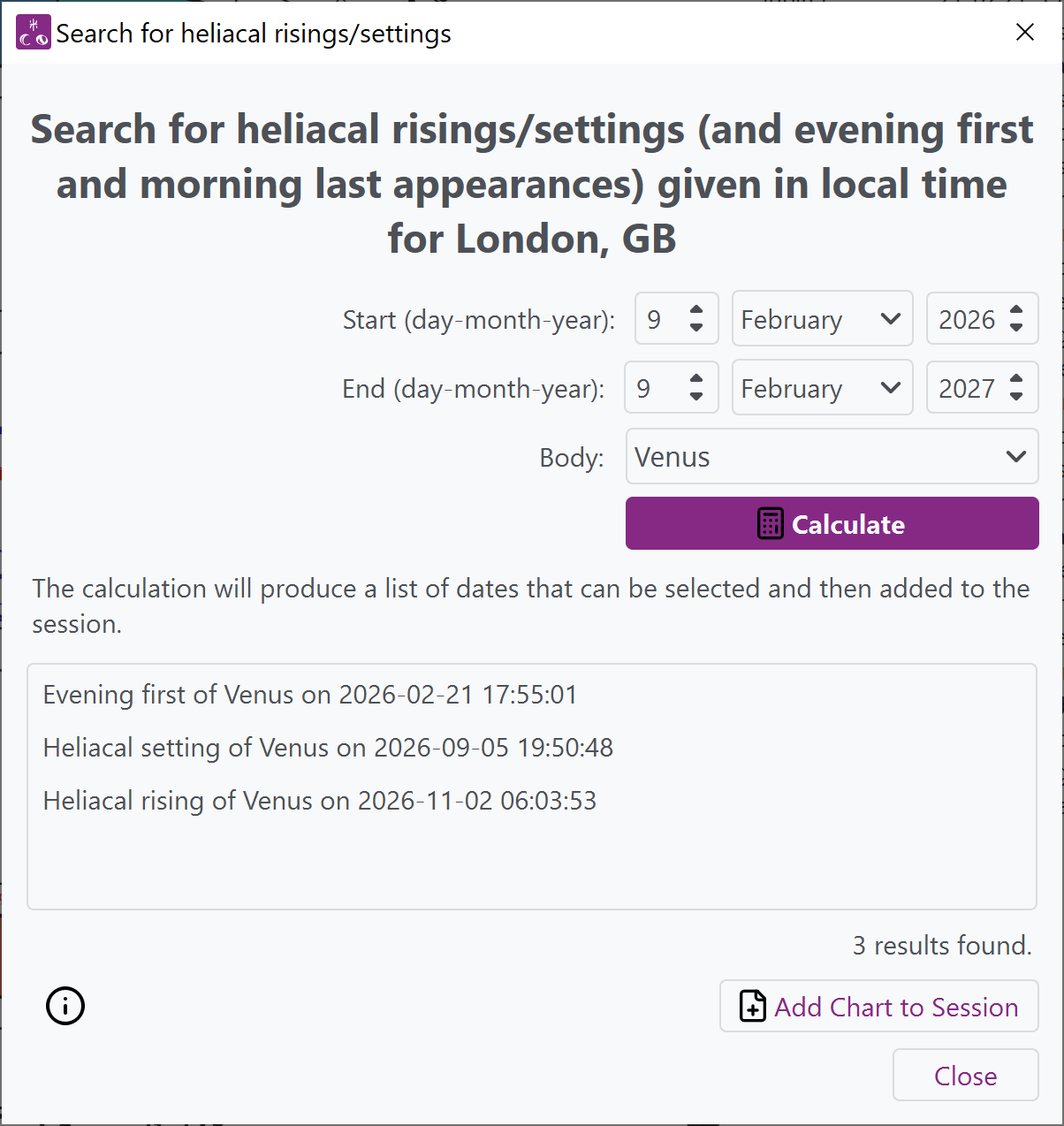
Window from Selestium Astrology showing how to search for heliacal risings and settings (including morning last and evening first).
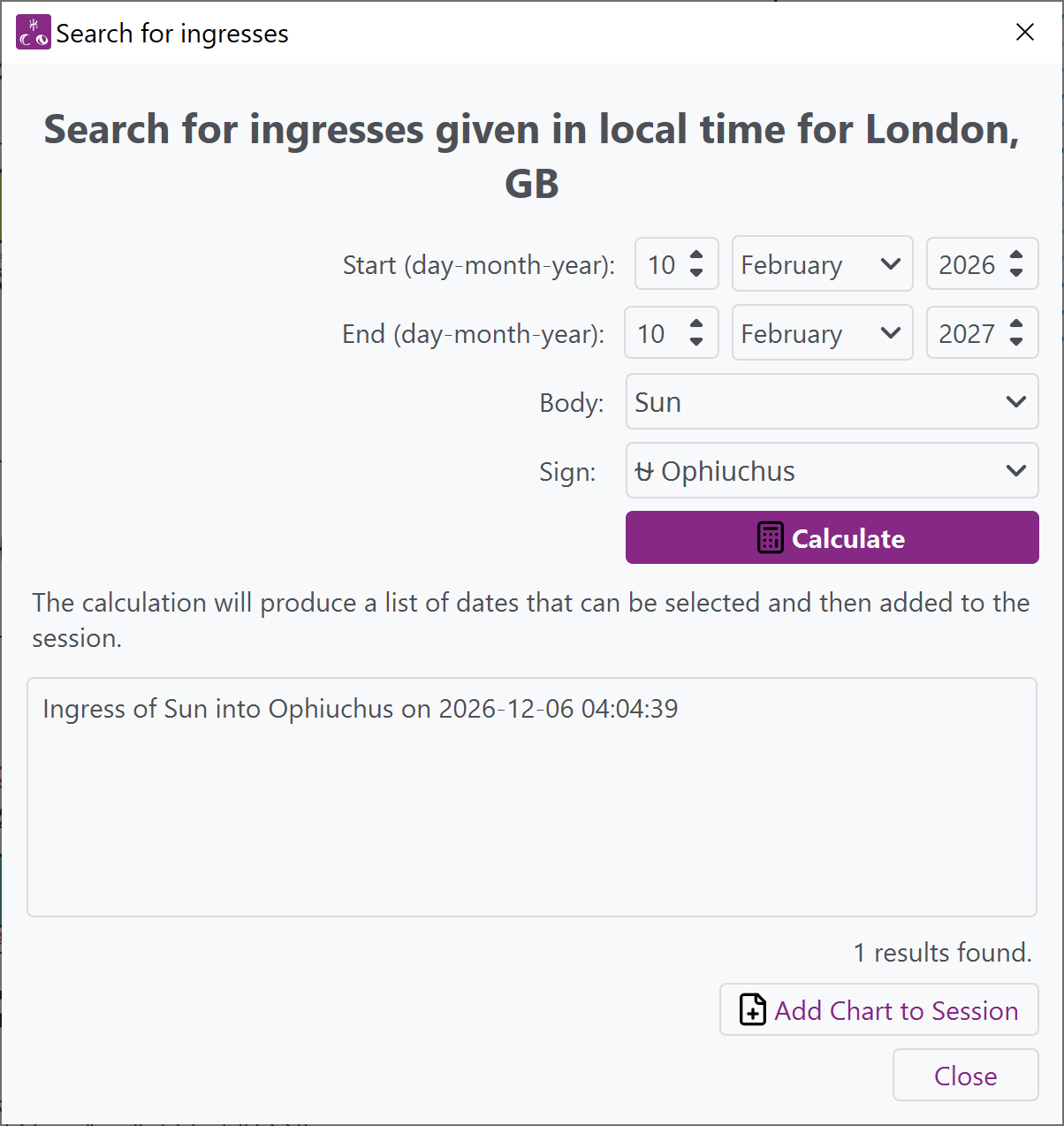
Window from Selestium Astrology, showing how one can search for ingresses into a sign, in this case, into Ophiuchus when a constellational sidereal zodiac is set as the default.

Searching for ingresses of a body into a sign, in this case, into Ophiuchus (as a constellational sidereal zodiac is set as the default)

Searching for rise and set times which can then be exported from the program.
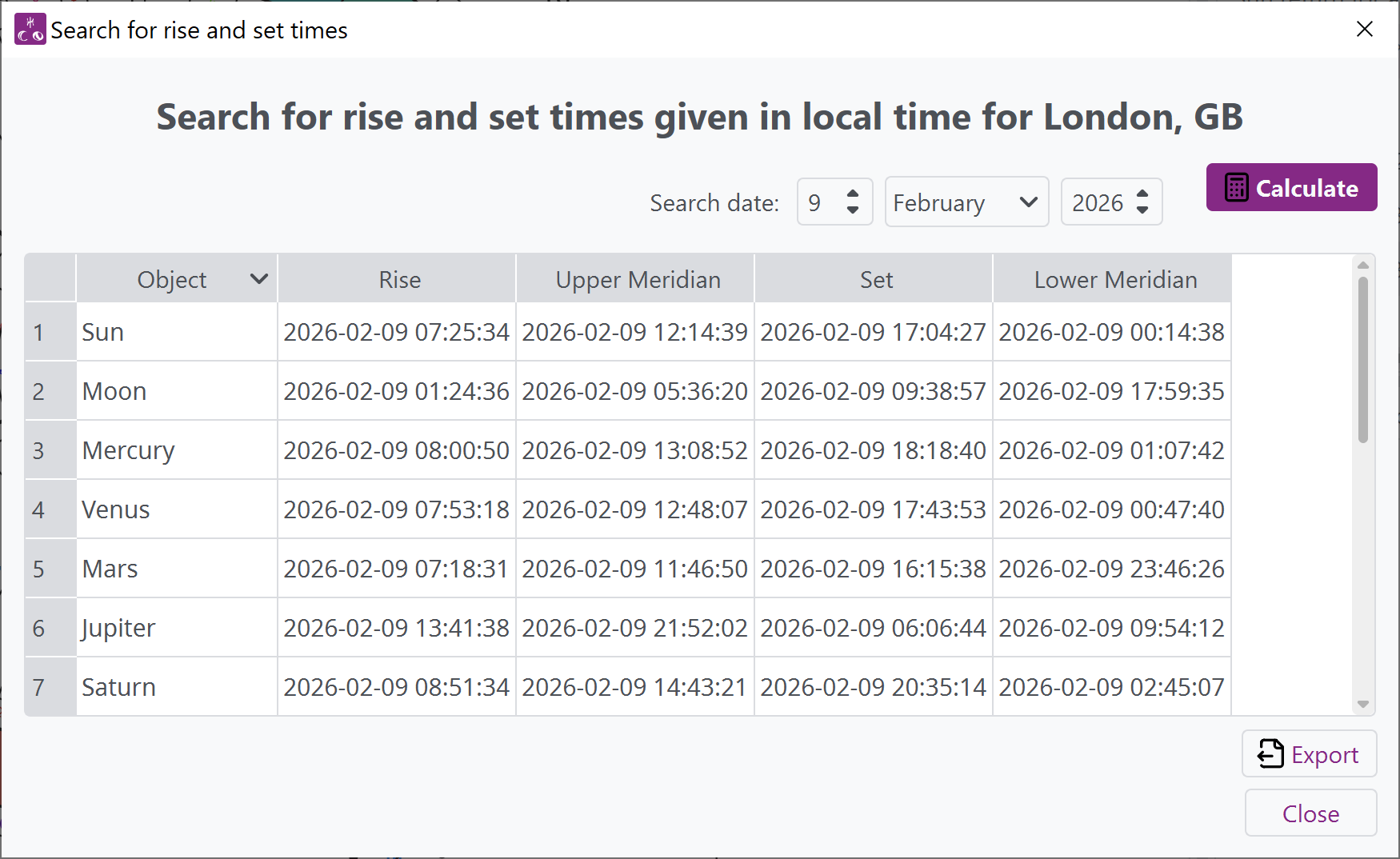
Window from Selestium Astrology, showing a search for rises and sets of a given set of bodies at a given location.

Returns

Calculate returns for a given radix chart, including returns of Pluto and Chiron.
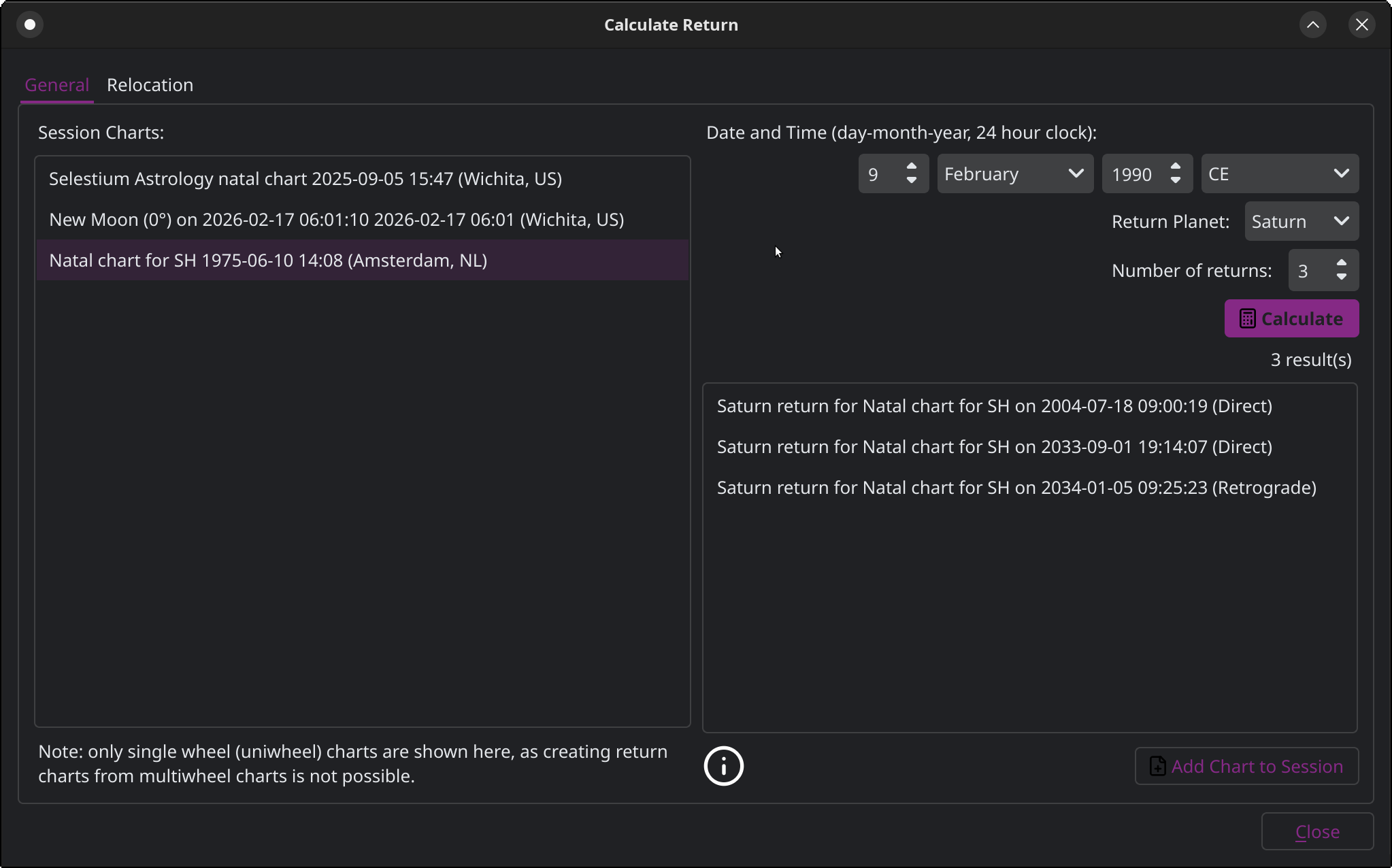
Window from Selestium Astrology showing how to calculate returns, specifically in this case, Saturn returns.

Ephemeris

Calculate an ephemeris table based on the default zodiac (in this case, a constellational sidereal one, showing the Moon passing through Ophiuchus). The ephemeris can be exported as a spreadsheet.
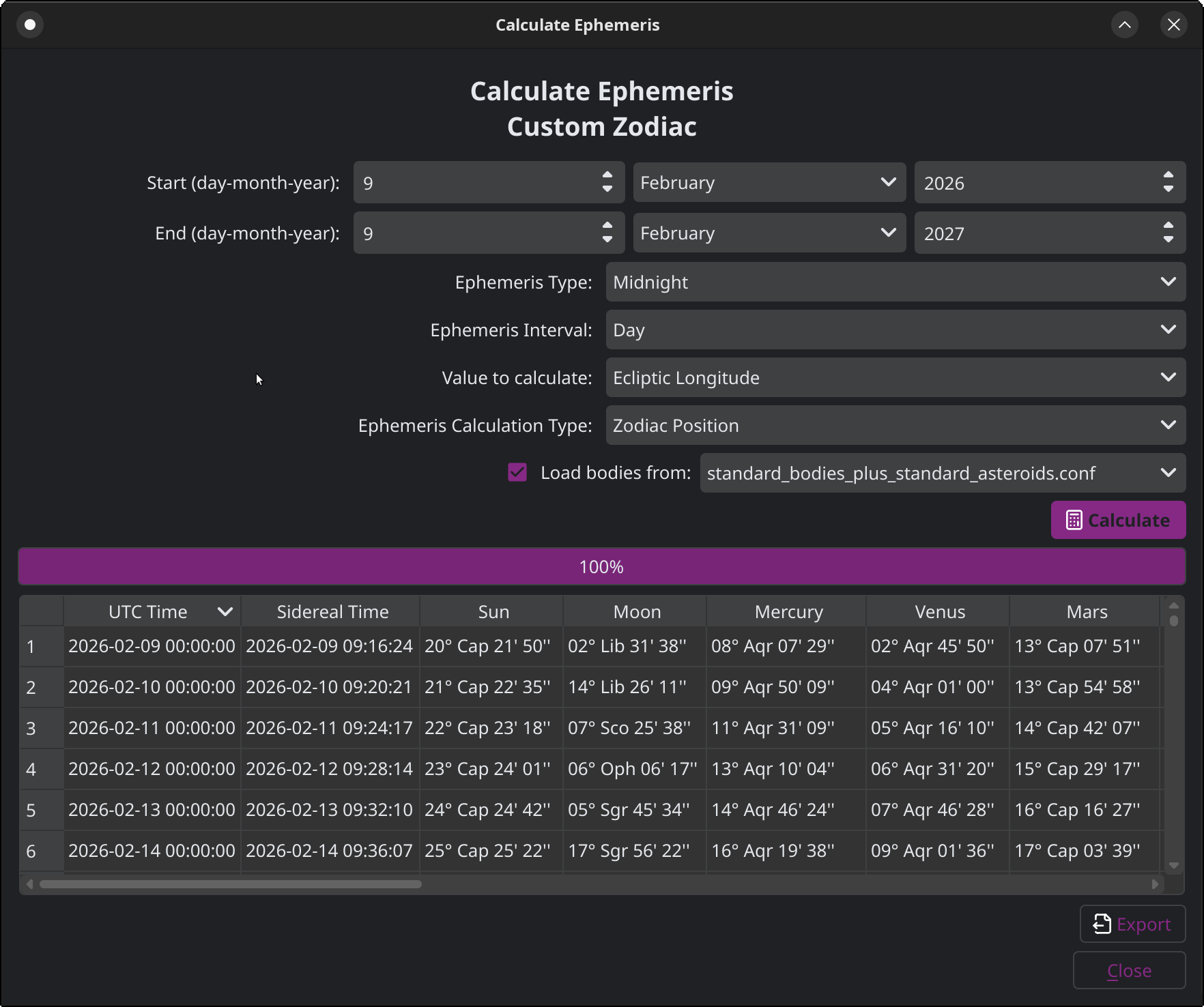
Window from Selestium Astrology showing how to calculate an ephemeris table. Note that this is also for a custom constellational sidereal zodiac, so it shows the movement of the Moon through Ophiuchus.
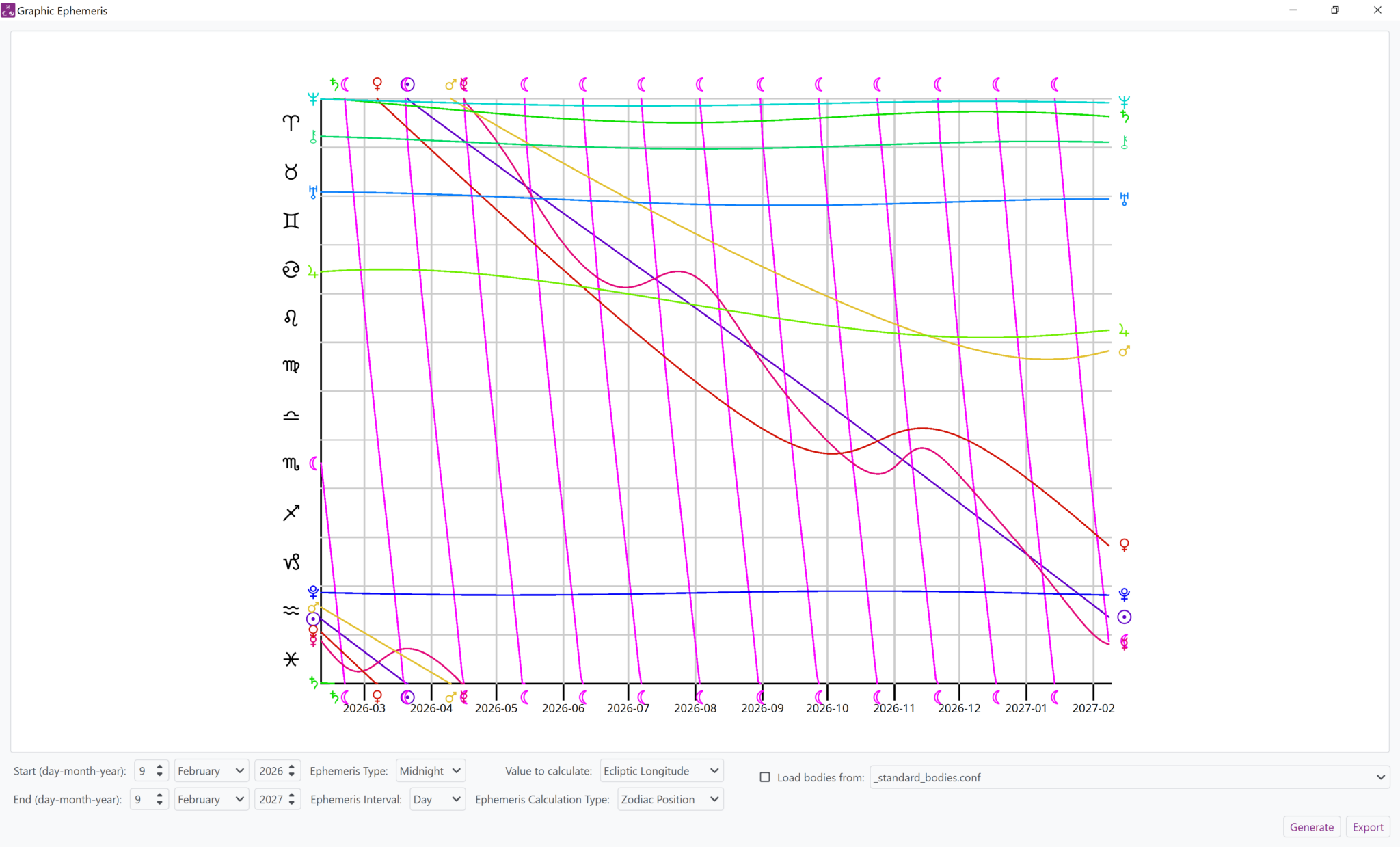
Window from Selestium Astrology showing a graphic ephemeris, the ways to change the types of calculations, and the way to limit the bodies that are shown in the ephemeris.

Graphical ephemeris window, which can calculate many different types of ephemeris data, including ecliptic longitude, ecliptic latitude, ecliptic longitude speed, and declination. The image can be exported.

Report windows

Generate a table of the object positions in the chart. This window is sensitive to the zodiac in use in the chart (thus, if it’s a constellational sidereal zodiac, it will show positions in your custom zodiac, in this case, showing Venus in Ophiuchus).
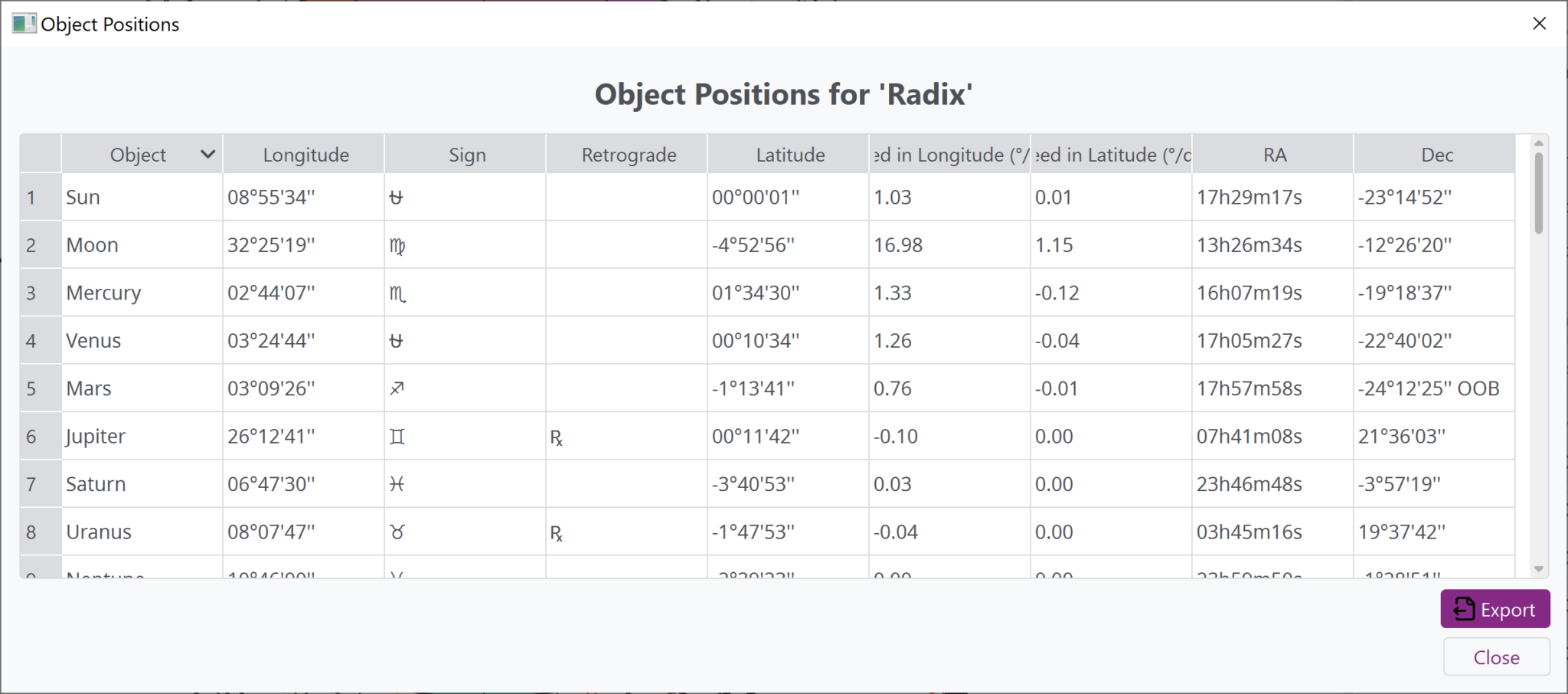
Window from Selestium Astrology showing object positions (and, in this case, drawing from a constellational sidereal zodiac which thus shows Venus in Ophiuchus).
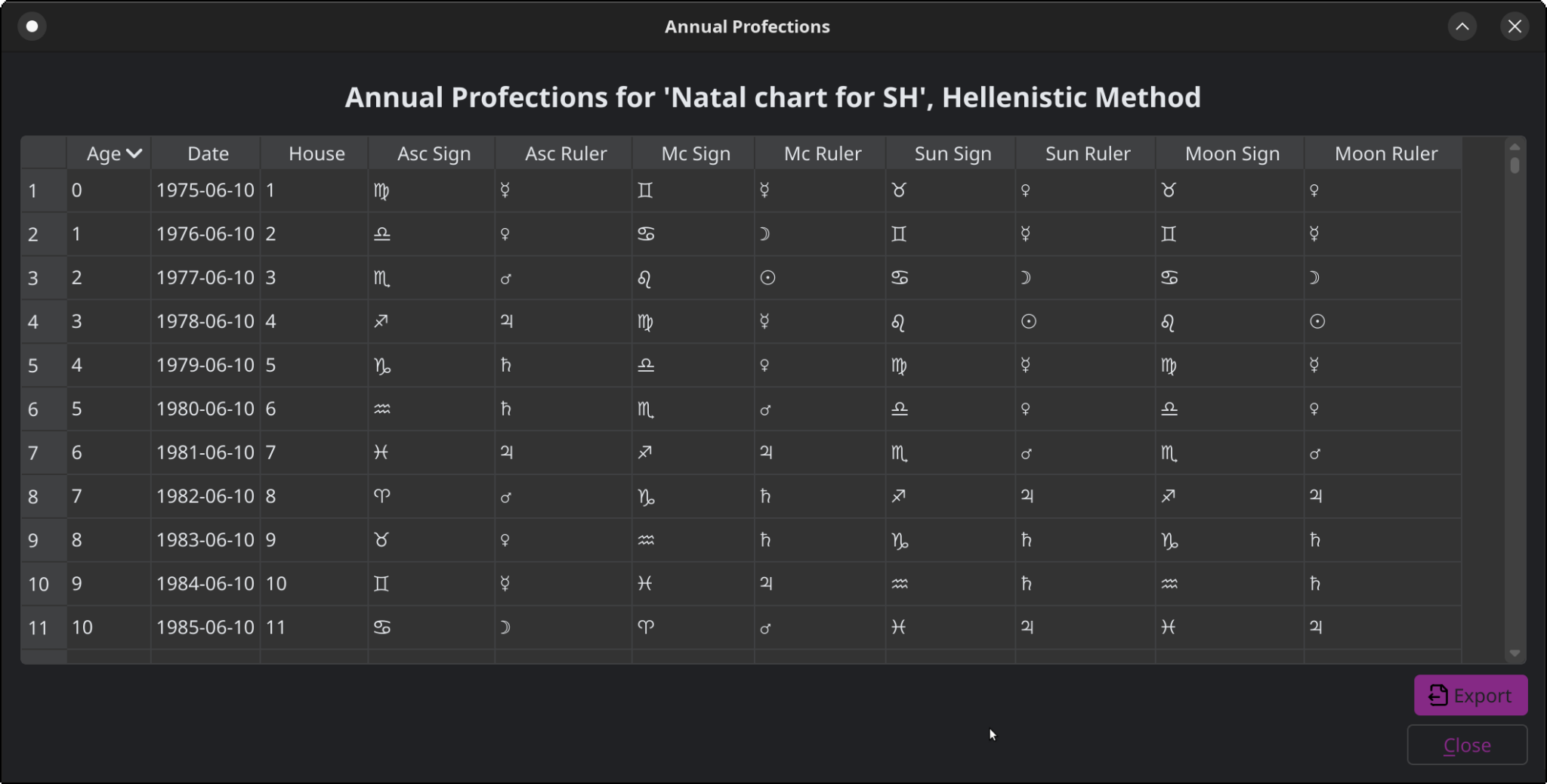
Window from Selestium Astrology showing a table of annual profections for a given natal chart

Create a Hellenistic-style profections table, showing the profected house for the year as well as ascending, MC, Moon, and Sun signs and rulers. This is only defined for tropical or sidereal zodiacs.

Other reports are available as well; see the features page for a complete list!

Chart Database

Chart database window, showing some of the default charts that will come with the program. Any number of databases can be added, and you can have nested databases as well.

Databases are always saved simply as text files and folders on your computer…it’s very easy to add or remote charts as needed!
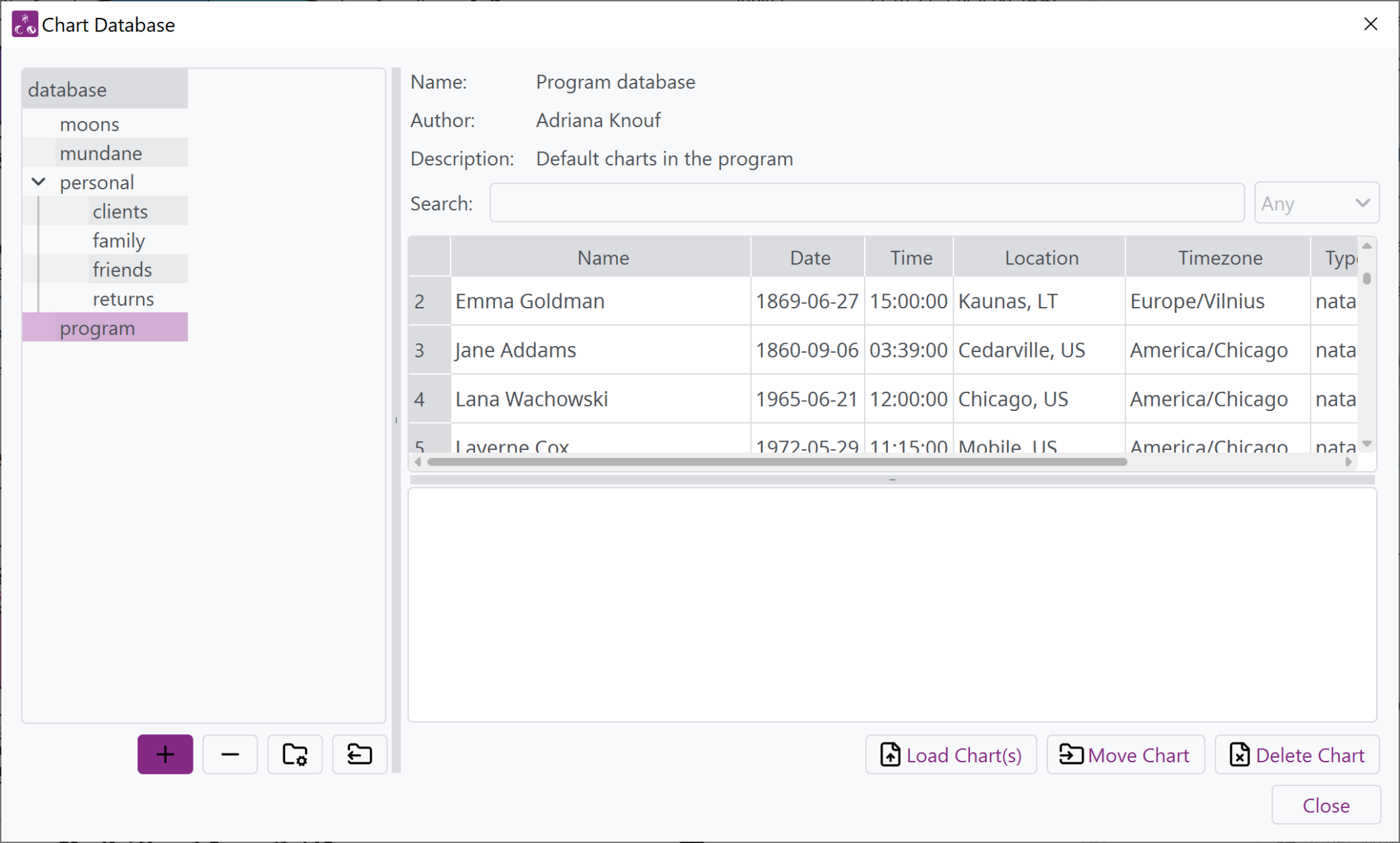
Window from Selestium Astrology showing the chart database interface, along with some charts that will come with the program (Emma Goldman, Jane Addams, Lana Wachowski, and Laverne Cox).

Preferences Window

This will only show you a small portion of the preferences available in the program. For a more complete list, see the features page or the online help.

Preferences window showing a tab setting chart defaults.
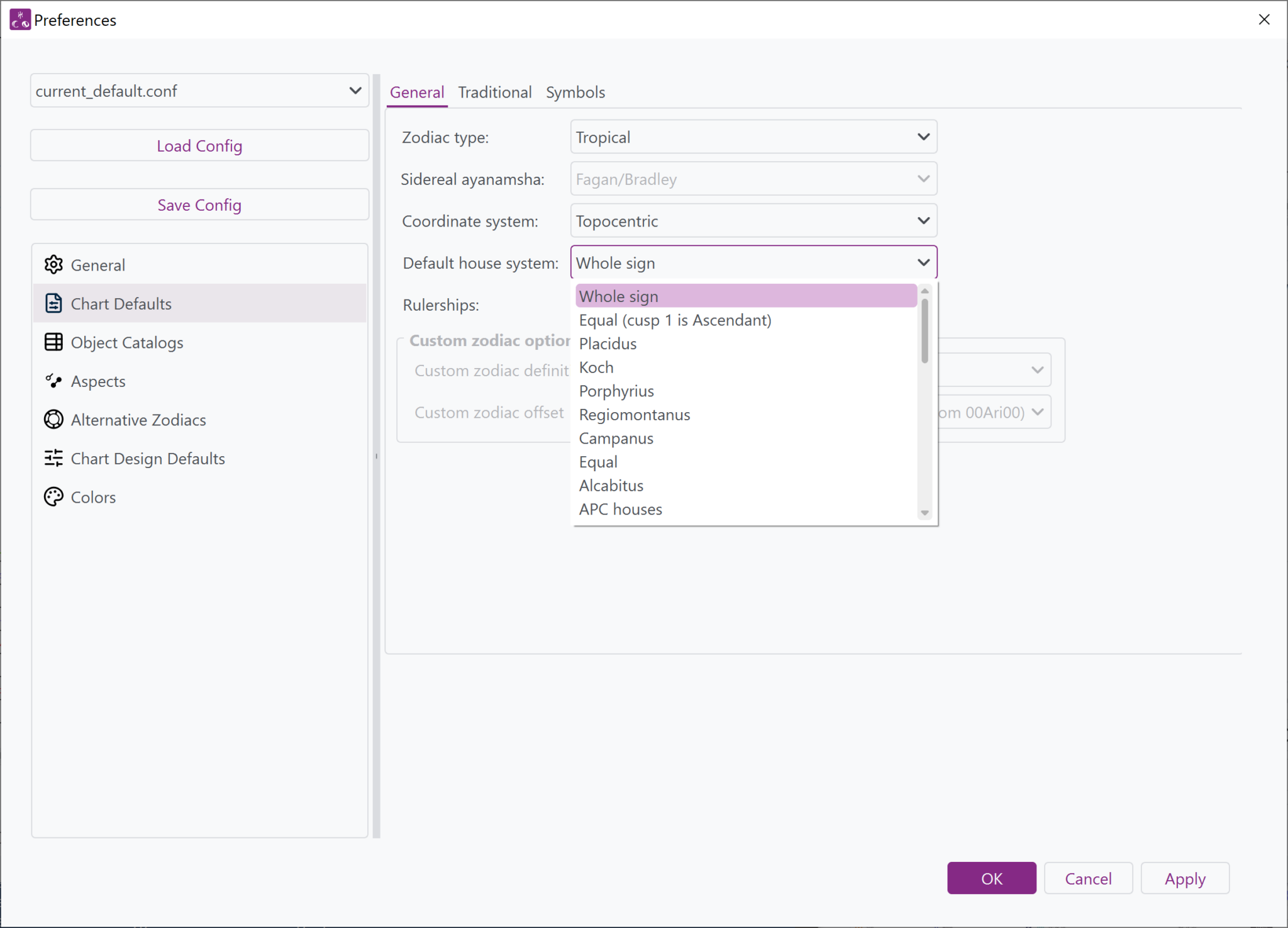
Window from Selestium Astrology showing the Chart Defaults tab of the Preferences window which allows for the setting of all of the new chart defaults (type of zodiac, house system, ayanamsha, custom zodiac, coordinate system, rulerships, etc)
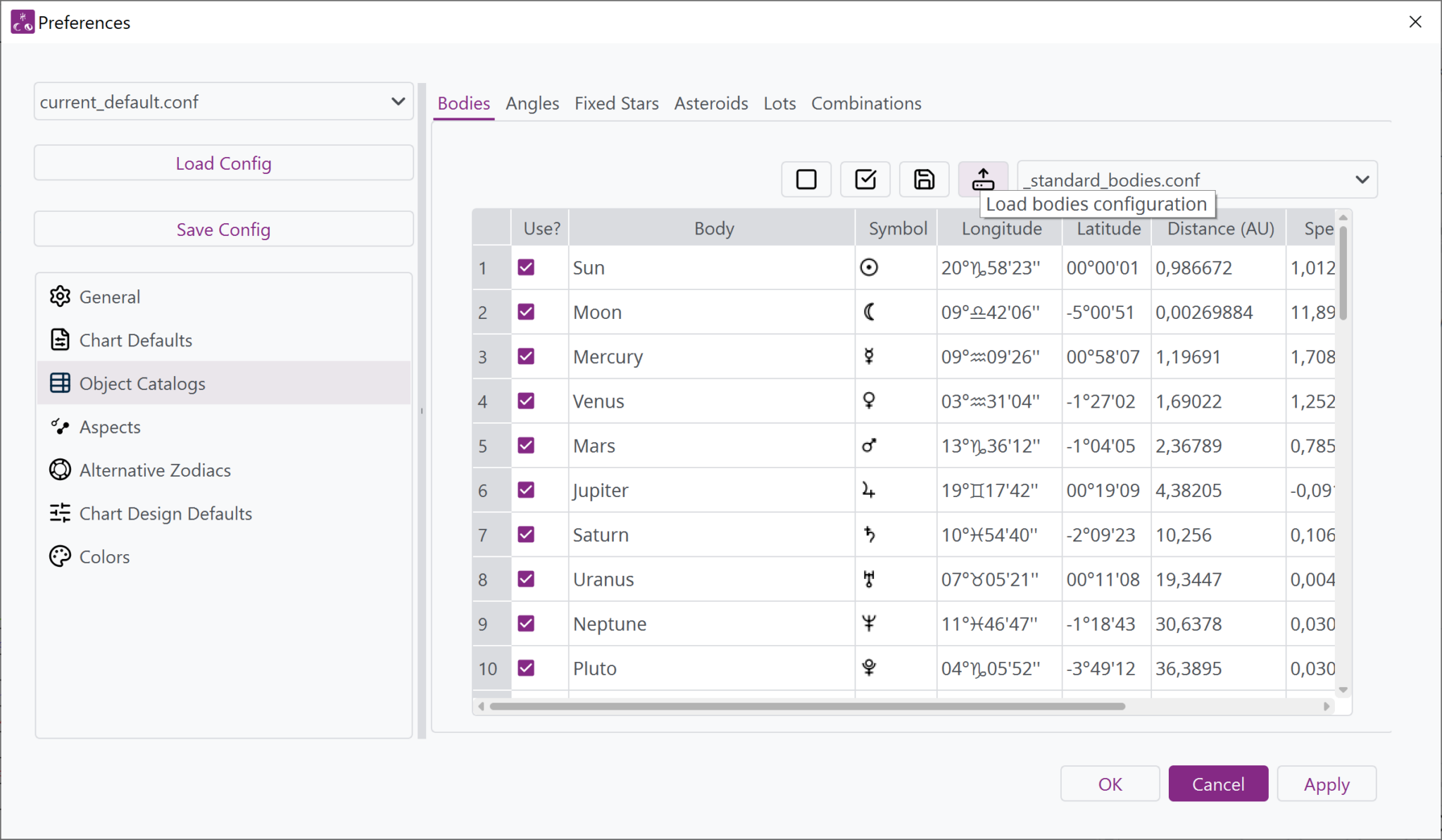
Window from Selestium Astrology showing the Bodies tab of the Preferences window and the current positions of the bodies.

Preferences tab showing the setting of default bodies to include within a chart.

Preferences tab showing asteroids that can be set as default for a chart.
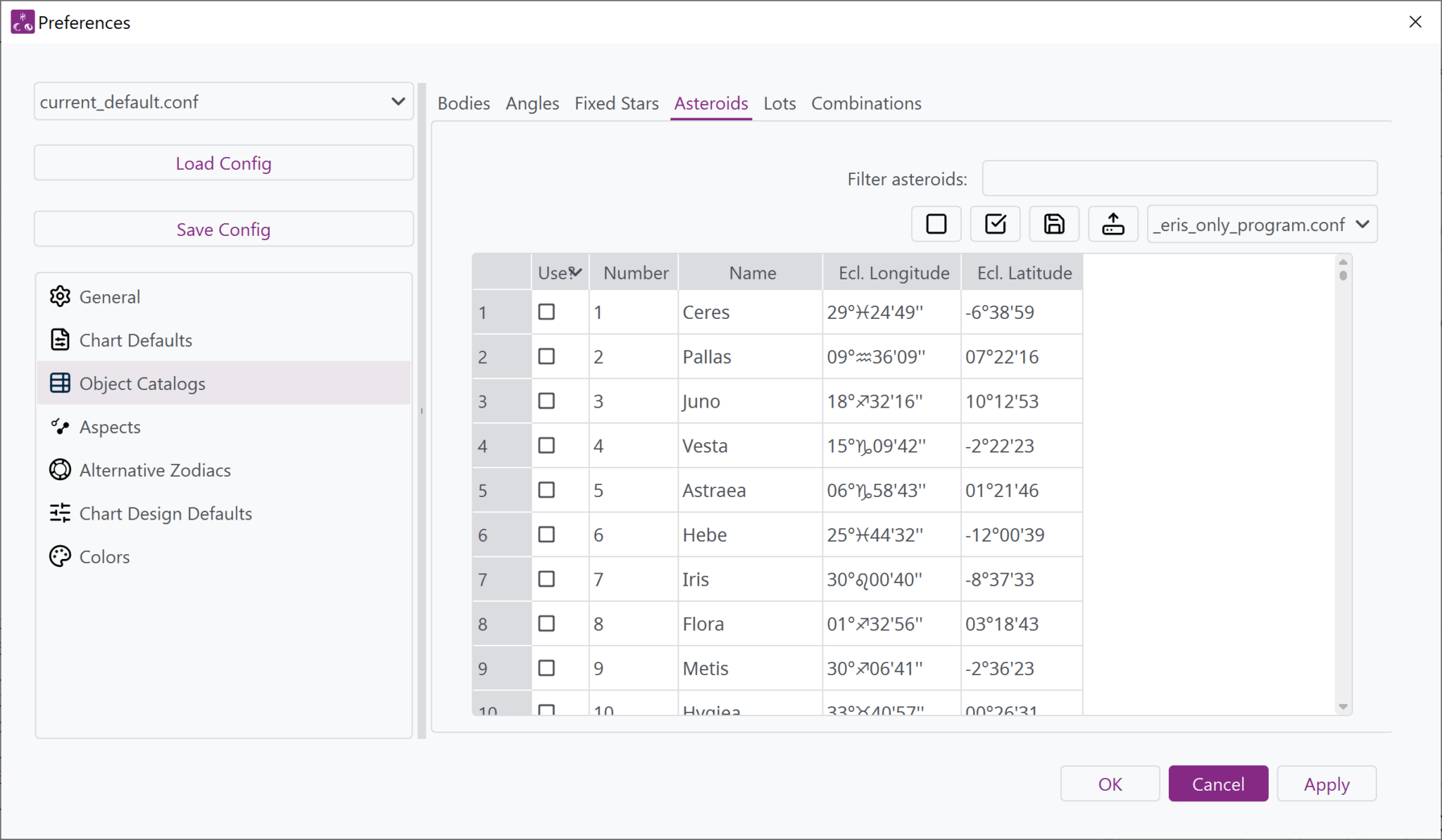
Window from Selestium Astrology showing the Asteroids tab of the Preferences window and the current positions of the asteroids.
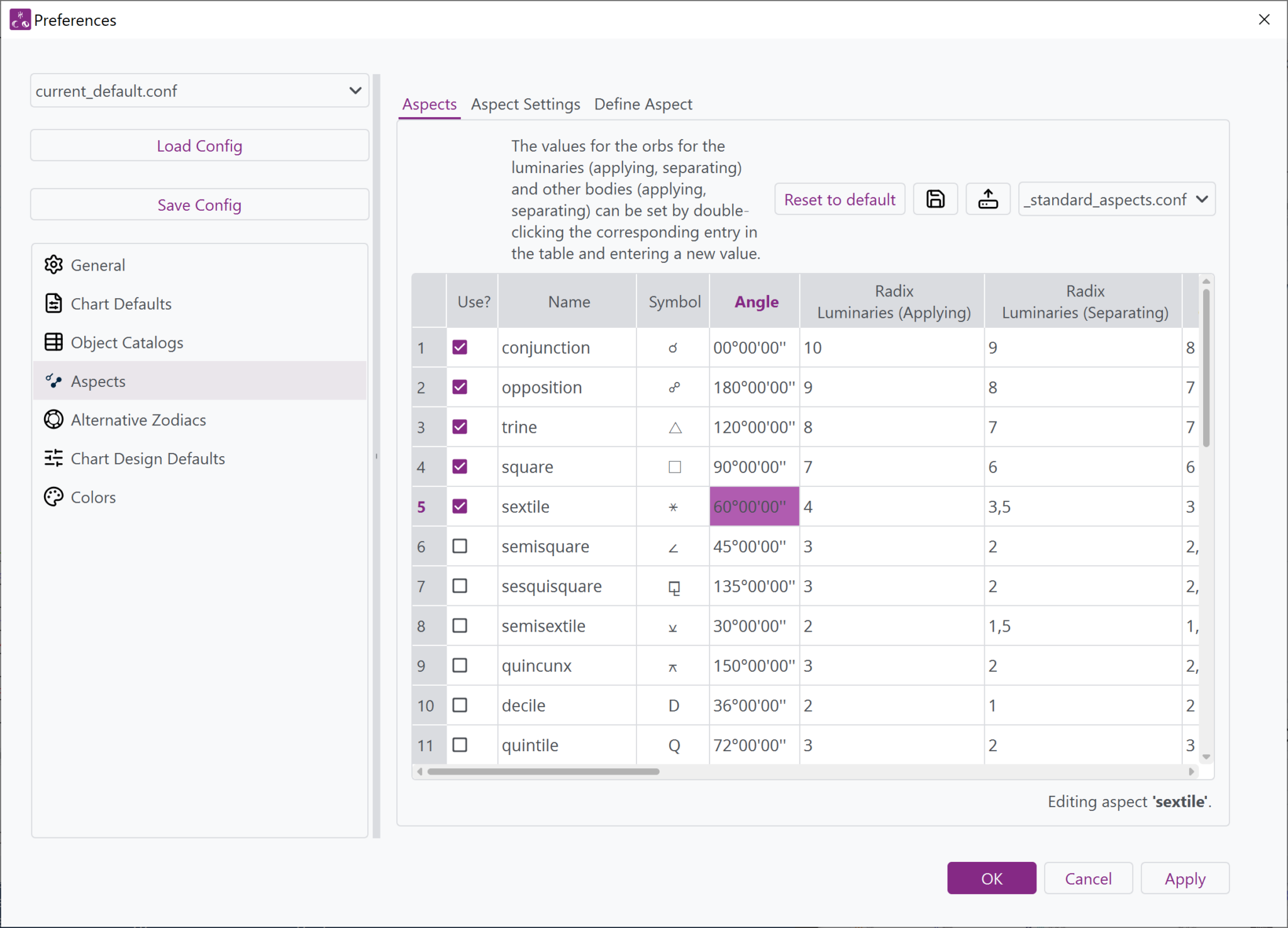
Window from Selestium Astrology showing the Aspects tab of the preferences window, and the ability to define orbs for each of the 24 aspects (plus parallel and contraparallel).

Preferences tab showing the selection of default aspects to include when casting charts, as well as setting their orbs.

Preferences tab showing setting the colors for the zodiac sectors.
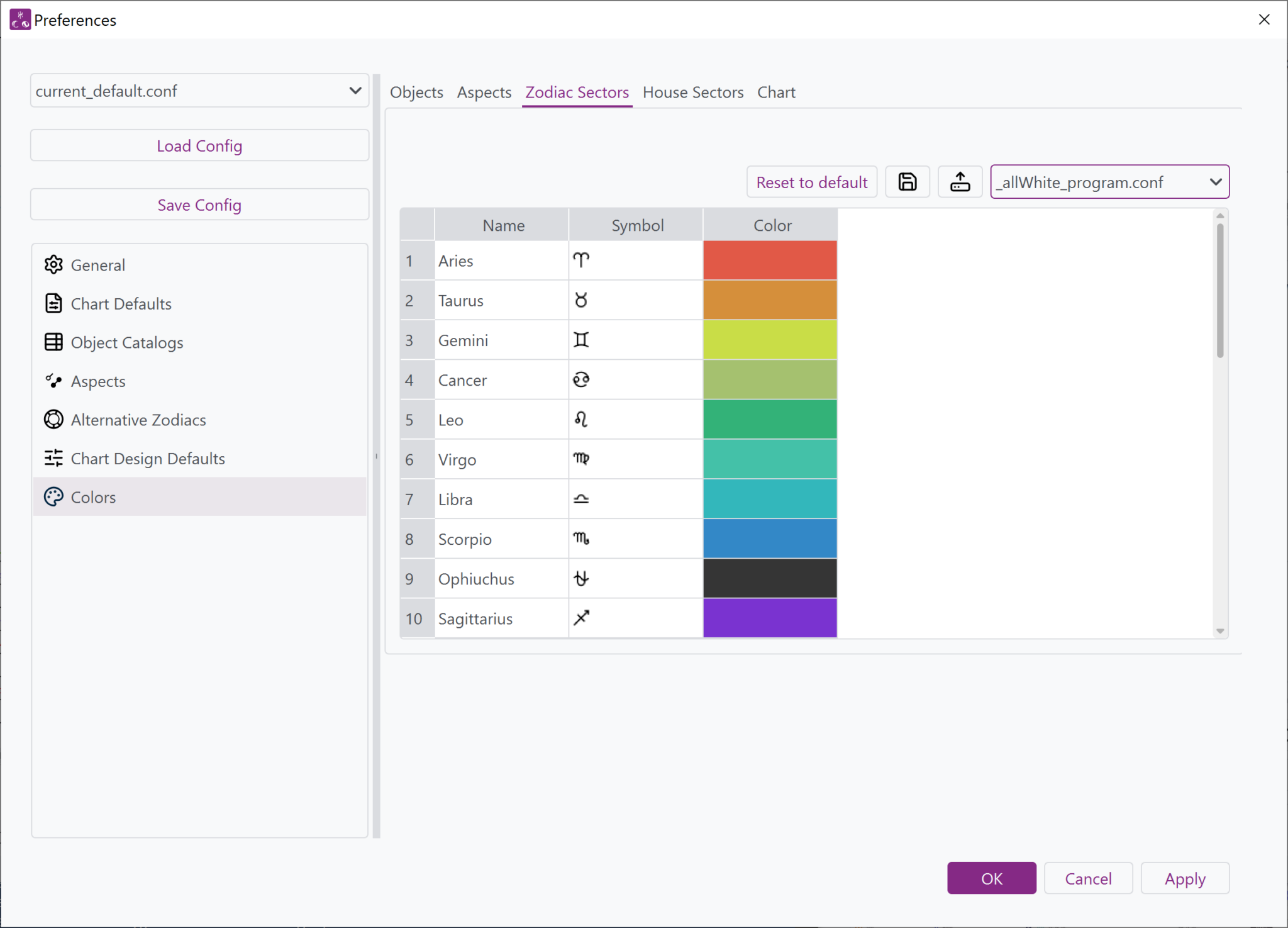
Window from Selestium Astrology showing the Zodiac Sectors Colors tab of the Preferences window, showing how to change the colors of the zodiac sectors.

Graphs and Dials

Ecliptic graph for a particular chart (showing the position of objects above and below the ecliptic, along the zodiac, and responsive to the zodiac of the chart, in this case, a constellational sidereal zodiac)
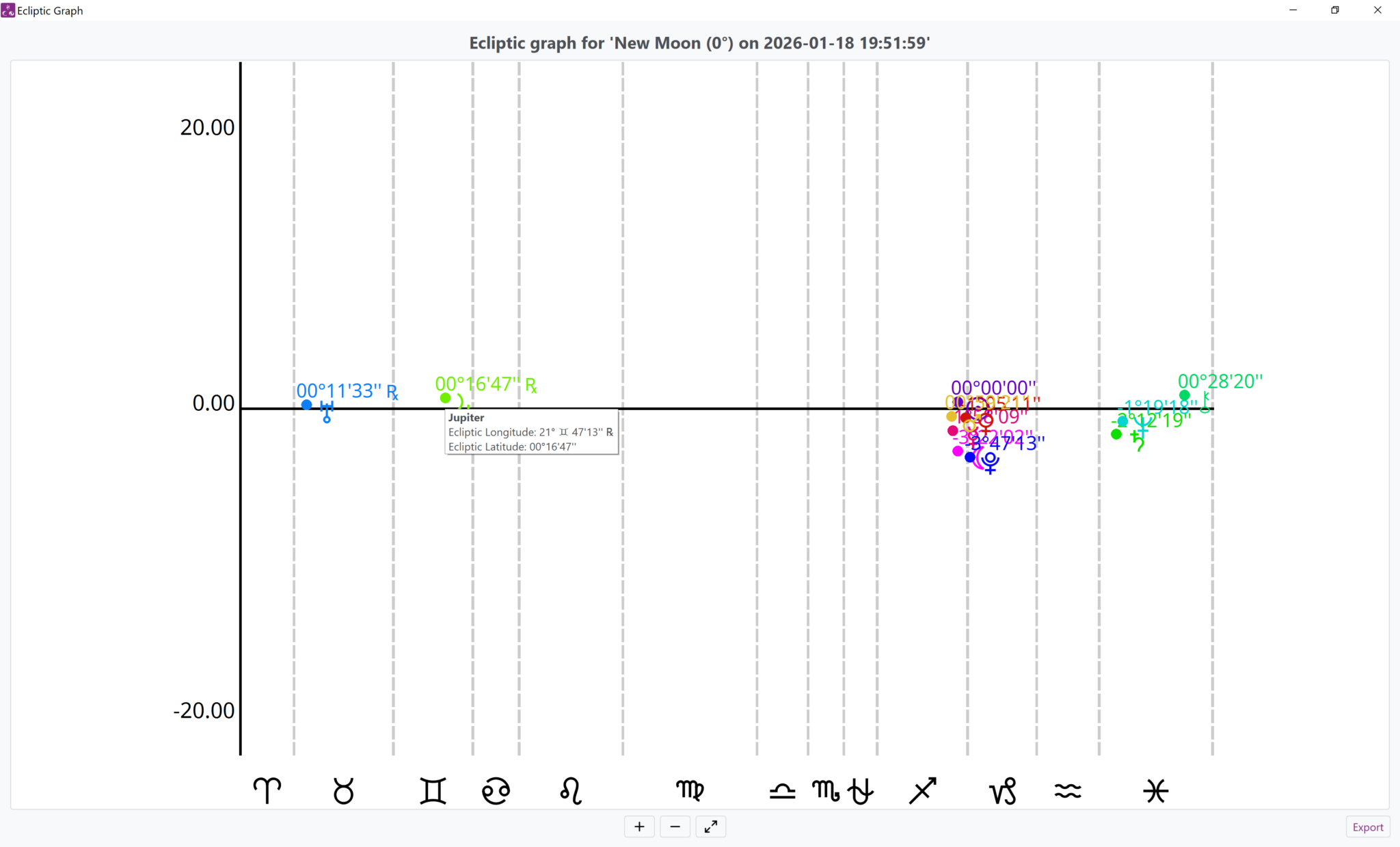
Window from Selestium Astrology showing an ecliptic graph, which illustrates the position of the objects above and below the ecliptic. As well, this graph is for a chart with a constellational sidereal zodiac, so there are lines showing the unequal sizes of the signs.
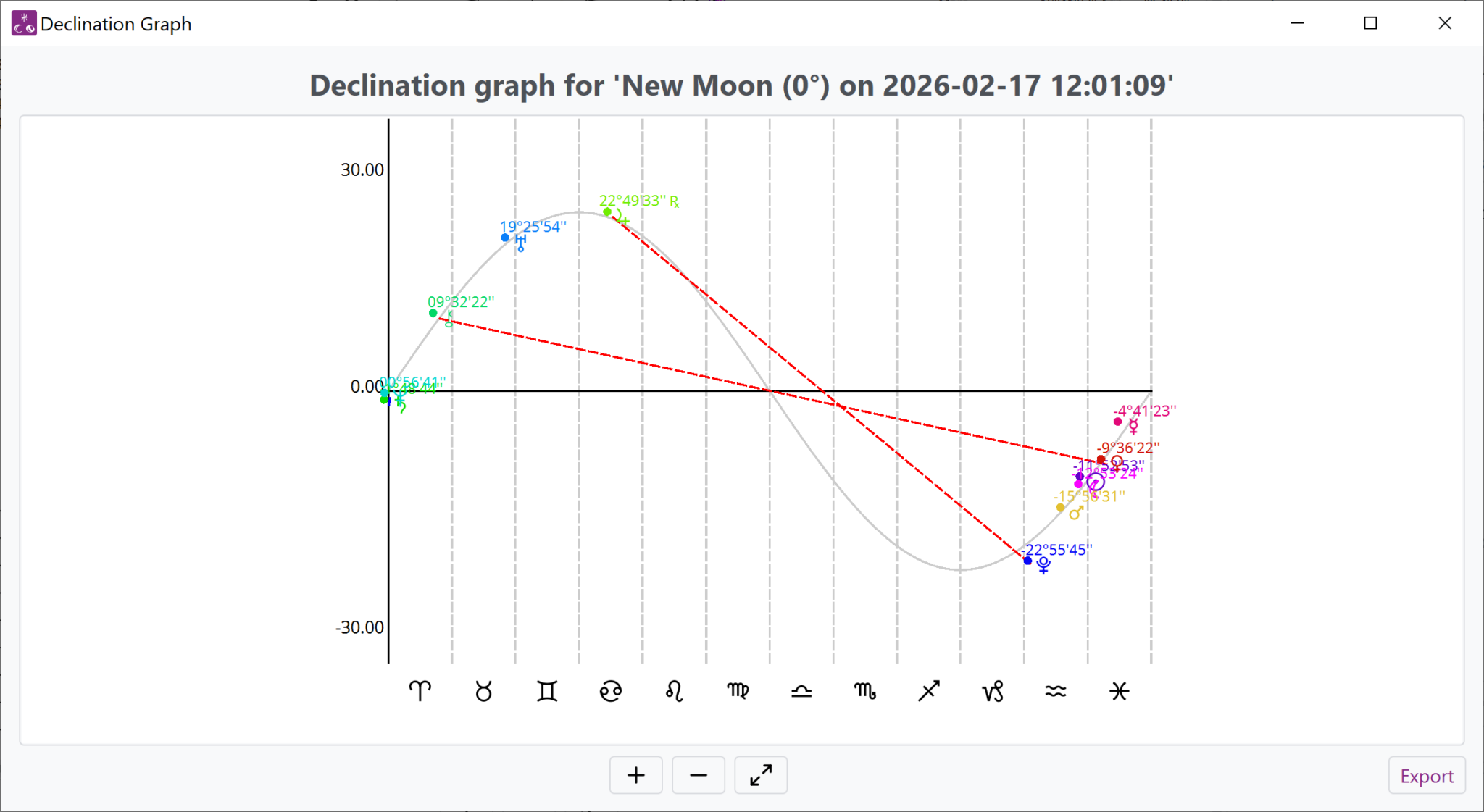
Window of Selestium Astrology, showing a declination graph (the position of the bodies in terms of declination) a line showing the position of the ecliptic over the zodiac, and any parallel or contraparallel aspects. This graph is done for a chart in the tropical zodiac.

Declination graph for a tropical zodiac chart, showing the position of bodies above and below the celestial equator, along with parallel and contraparallel aspects (if any).

Window that shows a thirty-degree dial (only defined for tropical and sidereal zodiacs).
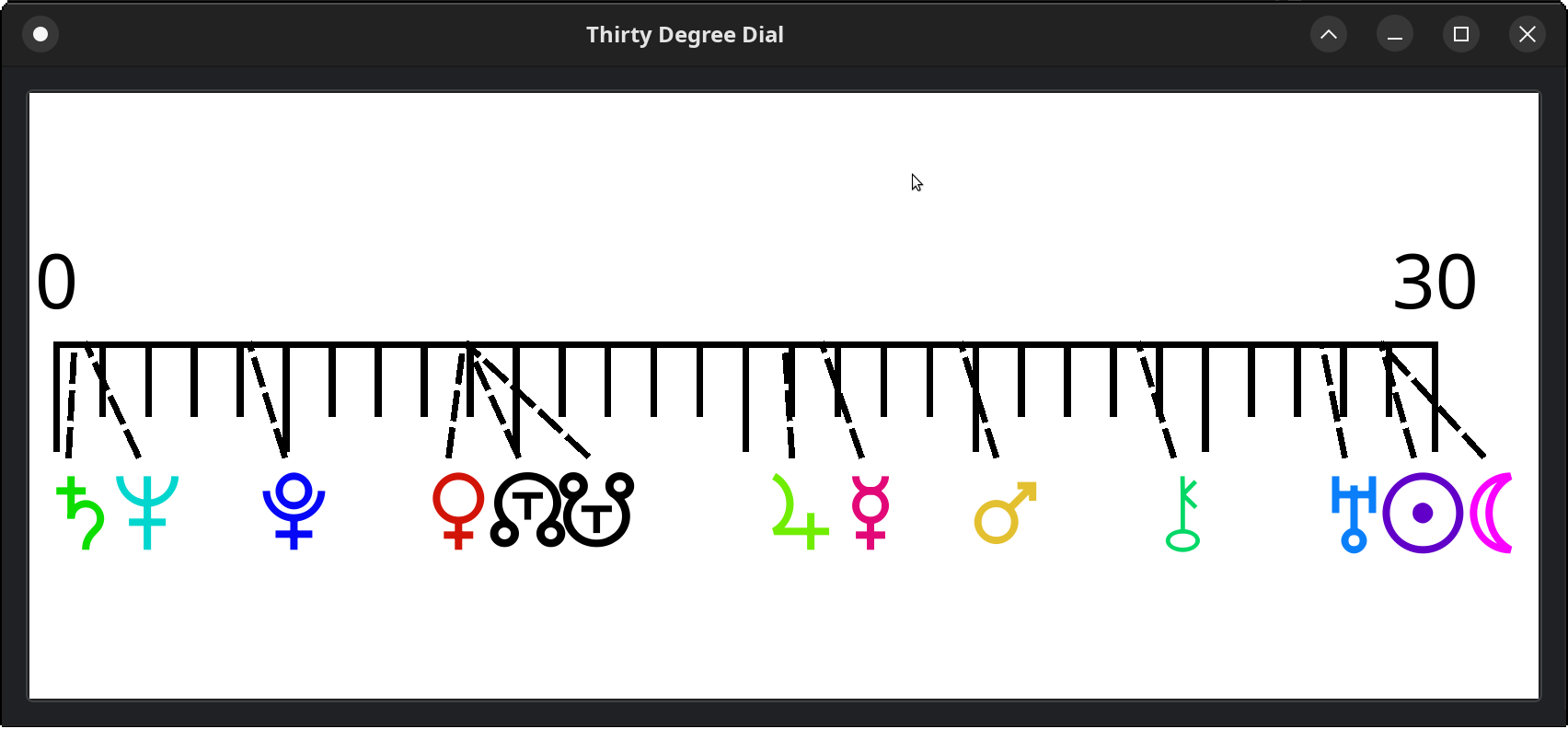
Window from Selestium Astrology, showing a thirty-degree dial, which displays the positions of bodies within their zodiac sign just in terms of the degree position (allowing quick view of signs that are near the beginning of a sign or the end of a sign). This is not defined for custom zodiacs.
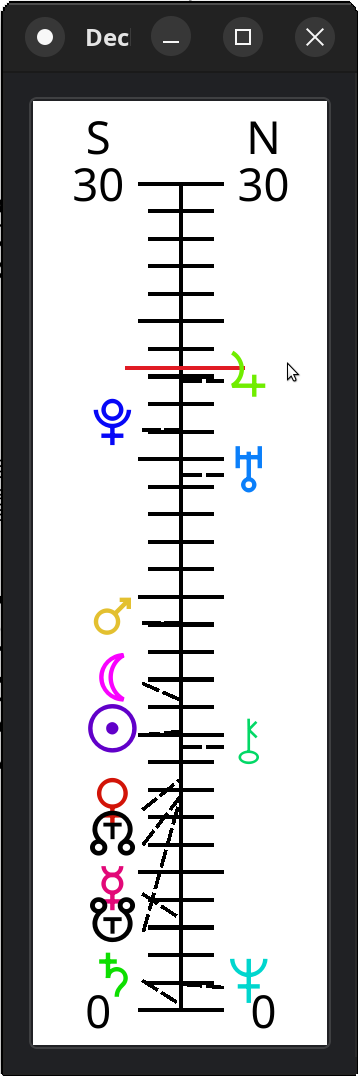
Window from Selestium Astrology showing the declination dial, a graph that shows the positions of the bodies with respect to North or South declination.

Window showing a declination dial, a graph of the positions of the bodies above and below the celestial equator, along with out-of-bounds conditions.

These images actually show only a subset of the capabilities of the program!

Join Waitlist We will inform you when the product arrives in stock. Please leave your valid email address below.